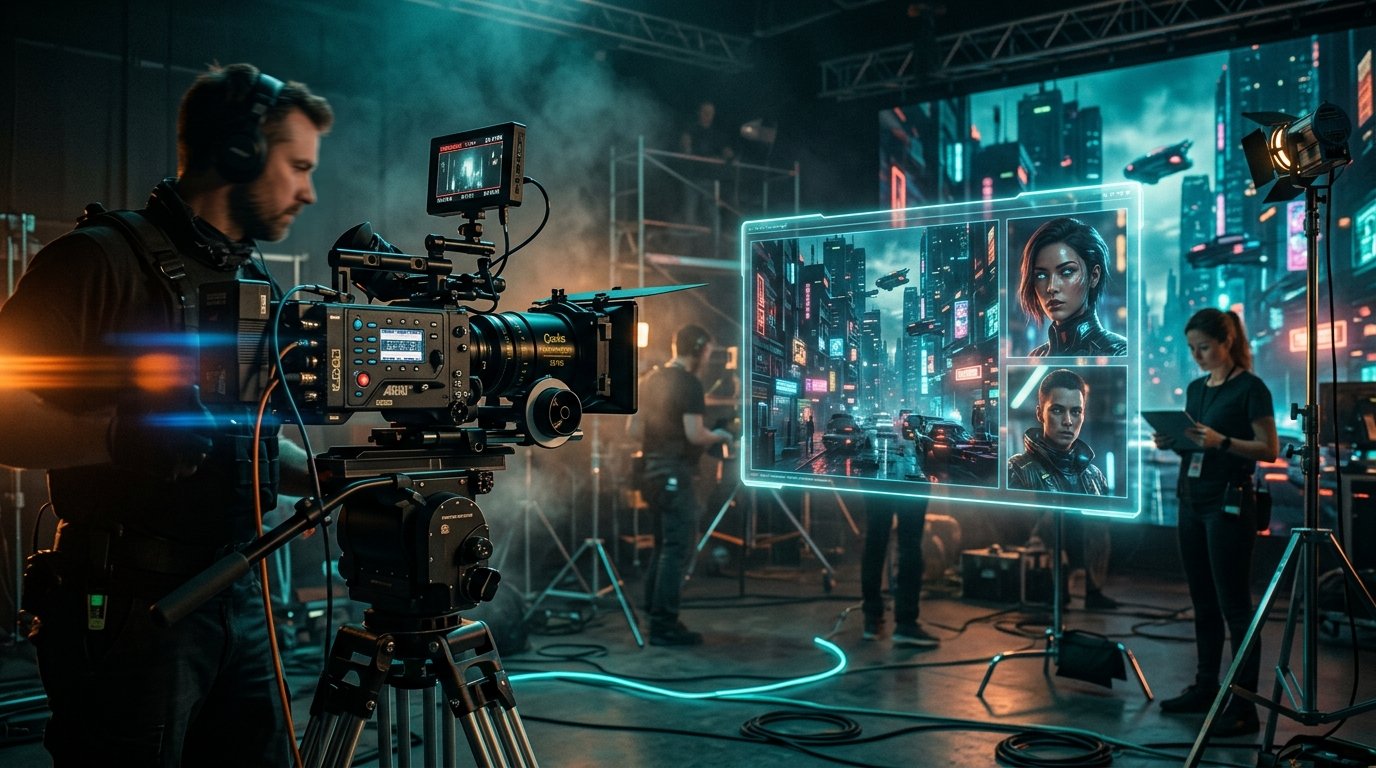


In the rapidly evolving world of artificial intelligence, maintaining a uniform aesthetic across multiple image renders is one of the most critical challenges for digital artists, brand managers, game developers, and content creators. Whether you are generating character concept art for a comic book, drafting brand assets for a marketing campaign, or producing a series of illustrations for a children’s book, style consistency—the ability of an AI tool to reproduce exact visual styles, color palettes, art mediums, and character features across separate prompts—is the key benchmark that separates casual AI tools from professional-grade creative pipelines.
Two platforms currently lead the generative AI landscape: Midjourney and OpenAI’s DALL-E 3. While both systems produce breathtaking visual art from plain text, they approach visual harmony and stylistic retention from fundamentally different architectures. Midjourney relies on technical, parameter-driven controls and explicit reference tags, whereas DALL-E 3 leverages large language model (LLM) conversational memory and natural language comprehension via ChatGPT.
Quick Verdict: For absolute pixel-level control, precise character matching, and exact visual style cloning, Midjourney (v6) wins with its dedicated
--cref(Character Reference) and--sref(Style Reference) parameters. However, if your primary goal is effortless prompt execution, accurate text rendering, and intuitive natural language edits without learning technical syntax, DALL-E 3 is the superior and more accessible choice.
Quick Comparison: Midjourney vs DALL-E 3 at a Glance
To help you choose the right generator for your creative workflow, the table below breaks down how Midjourney and DALL-E 3 compare across core performance criteria:
| Feature / Criteria | Midjourney (v6) | DALL-E 3 (via ChatGPT) |
| Primary Method for Style |
Parameter Codes ( |
Natural Language Descriptors & Camera Tags |
| Character Retention |
High (via |
Moderate (via Thread Context & Memory) |
| Prompt Adherence |
High (Requires weighted tags/keywords) |
Exceptional (Understands complex multi-subject layout) |
| Parameter Control |
Full ( |
Limited (Handled automatically by ChatGPT) |
| Text Rendering in Image |
Moderate (Improving in v6) |
Exceptional (Accurate spelling & typography) |
| User Interface |
Discord / Web Alpha UI |
ChatGPT Web / Mobile App / OpenAI API |
| Learning Curve |
Moderate to Steep (Requires command syntax) |
Very Easy (Conversational natural language) |
| Output Resolution |
Up to 2048×2048 natively + Upscalers |
Up to 1792×1024 or 1024×1792 |
Direct Answer: Choose Midjourney if you require professional parameter locking, strict artistic style replication, and fine-tuned control over weights and seeds. Choose DALL-E 3 if you prefer working in plain conversational language inside ChatGPT and need precise text placement and complex multi-object positioning within your artwork.
Prompt Understanding & Text Adherence: How Each Generator Interprets Input
The fundamental difference between Midjourney and DALL-E 3 lies in how their underlying machine learning models process your written prompt into visual tokens. Understanding this mechanical distinction is essential for predicting visual consistency across multiple rendering passes.
┌────────────────────────────────────────────────────────────────────────┐
│                        PROMPT PROCESSING PIPELINE                       │
└────────────────────────────────────────────────────────────────────────┘

  [ USER PROMPT ] ──► ChatGPT LLM Expansion ──► DALL-E 3 Diffusion Engine
                     (Re-writes prompt into   (Strict literal interpretation
                      detailed image spec)     & typography execution)

  [ USER PROMPT ] ──► Tokenizer Tag System ──► Midjourney v6 Engine
                     (Parses weights, seeds,  (High artistic default,
                      --sref & --cref URLs)    stylistic preference)
DALL-E 3’s Natural Language & LLM Advantage
DALL-E 3 is directly integrated with ChatGPT’s Large Language Model architecture. When you input a prompt into DALL-E 3, ChatGPT automatically expands and optimizes your raw idea into a descriptive, highly detailed prompt behind the scenes.
Because of this natural language processing power, DALL-E 3 excels at literal prompt adherence. If you ask for “a blue ceramic mug on the left side of a wooden table, with a steaming copper teapot on the right, and a chalkboard in the background reading ‘Morning Brew’ in white chalk cursive,” DALL-E 3 will consistently render all elements in their exact spatial positions. It handles complex relationships between multiple objects far better than most image models and renders legible written text with remarkable accuracy.
However, this reliance on LLM prompt expansion can sometimes be a double-edged sword for visual consistency. Because ChatGPT slightly alters the expanded prompt for every new image, subtle artistic elements—such as stroke texture, lighting angle, or line density—can shift between generations unless explicitly locked down.
Midjourney’s Keyword & Weighted Tag System
Midjourney does not rely on an integrated conversational chatbot to rewrite prompts; instead, it parses prompts through a direct weighted tag and keyword system. To get the most out of Midjourney v6, creators use structured prompt formulas combined with explicit parameter flags.
Rather than describing a scene in conversational prose, Midjourney creators achieve consistency through technical commands:
-
--v 6: Enforces the latest v6 diffusion architecture. -
--stylize [0-1000]: Controls how strongly Midjourney applies its default aesthetic bias. -
--chaos [0-100]: Controls the variance between grid outputs. -
--sref [URL/Code]: Forces the image engine to adopt an exact visual style from a reference image or random style seed. -
--cref [URL]: Focuses on character feature matching across generations.
Midjourney’s model inherently favors artistic coherence, photographic realism, and dramatic lighting over literal text parsing. While it requires more syntax discipline from the user, it grants granular, repeatable control over art direction that DALL-E 3 cannot directly match.
Character & Visual Style Consistency Tested
Achieving visual continuity across a series of images requires two distinct types of locking: Character Consistency (retaining facial features, clothing, and body structure) and Style Consistency (retaining rendering medium, lighting, art style, and color palette).
                    ┌─────────────────────────────────────────┐
                    │    STYLE CONSISTENCY MECHANICS          │
                    └─────────────────────────────────────────┘
                                         │
                 ┌───────────────────────┴───────────────────────┐
                 ▼                                               ▼
      [ MIDJOURNEY v6 ]                                  [ DALL-E 3 ]
   • Style Reference (--sref)                         • Conversational Anchoring
   • Character Reference (--cref)                     • Seed Retention (Internal)
   • Weight Control (--cw 0 to 100)                   • Camera & Lens Descriptors
   • Parameter Code Mapping                           • System Prompt Directives
Character Consistency Mechanics (--cref vs. ChatGPT Memory)
Midjourney’s Character Reference Tag (--cref)
Midjourney features a dedicated parameter designed specifically for character retention. By appending --cref [URL of reference image] to your prompt, Midjourney isolates the key facial features, hair structure, and overall body type of the target subject.
Creators can further refine character focus using the Character Weight tag (--cw):
-
--cw 100(Default): Retains face, hair, and clothing style. -
--cw 0: Focuses purely on facial structure and hair, allowing you to easily swap outfits, backgrounds, and poses across scenes.
This makes Midjourney exceptionally fast and reliable for visual storytellers rendering a consistent protagonist across dozens of panels.
DALL-E 3’s Conversational Thread Context
DALL-E 3 lacks a dedicated --cref parameter URL tag. Instead, it relies on conversational thread memory inside ChatGPT. To keep a character consistent in DALL-E 3, you must instruct the assistant within the same chat session:
“Generate a character concept sheet for a detective named Arthur in 1940s noir style. Keep this exact character saved for future prompts.”
When you request subsequent images within that same thread, ChatGPT feeds the previously generated visual description back into its image generator. While this works well for simple variations, character details gradually drift across longer chat threads. If you start a new conversation thread, retaining the exact facial architecture becomes difficult.
Style Consistency Mechanics (--sref vs. Style Anchoring)
Midjourney’s Style Reference (--sref)
Midjourney provides two methods for style locking:
-
URL Style Anchoring: Add
--sref [Image URL]to transfer the exact texture, medium (e.g., watercolor, 35mm film, isometric vector), color palette, and shading technique of a source image to a new prompt. -
Random Style Codes: Using
--sref randomassigns a unique numerical code (e.g.,--sref 12940219) to a generated aesthetic. Reusing that exact code in any future prompt reproduces the exact same artistic medium and visual mood.
For copy-paste style formulas and parameters across engines, visit our best DALL-E prompts hub on Explanex.
DALL-E 3’s Photographic & Camera Descriptors
In DALL-E 3, maintaining consistent visual style across separate generations relies on precise style anchoring terminology in your prompts. Since you cannot feed an explicit style code to the engine, you must anchor your style using structured art descriptors, such as:
-
Art Mediums: “Oil painting on textured canvas with visible impasto brushstrokes,” “3D Pixar-style digital render,” or “1970s vintage editorial photograph.”
-
Camera & Lighting Specifiers: “Shot on 35mm Leica M6, Kodak Portra 400 film grain, soft natural rim lighting, f/1.8 depth of field.”
By maintaining identical camera, medium, and lighting phrases at the beginning of every prompt, DALL-E 3 can maintain impressive stylistic alignment across a project.
Technical Workflows: Maintaining a Unified Visual Identity
To maintain high visual fidelity across an entire series of images—whether using Midjourney or DALL-E 3—professional creators rely on a disciplined step-by-step workflow.
  STEP 1: Anchor Style & Seed
  ├── Midjourney: Pick --sref code & define base image URL
  └── DALL-E 3: Create Master Style Prompt block in ChatGPT
        │
        ▼
  STEP 2: Structure Prompt Series
  ├── Midjourney: Keep base prompt identical, swap subject + append --cref
  └── DALL-E 3: Maintain active chat thread, update action & camera angle
        │
        ▼
  STEP 3: Post-Processing & Upscaling
  ├── Midjourney: Apply Subtle/Creative Upscale or Inpainting (Vary Region)
  └── DALL-E 3: Edit inline with Selection Tool or upscale via external tool
Step 1: Establishing Foundational Style Anchors
Before generating scene variations, lock in your primary style anchor.
-
Midjourney Workflow: Generate a baseline hero image. Copy the direct image link or use a specific
--srefcode. Note down your preferred--stylizevalue to keep render intensity consistent across all output batches. -
DALL-E 3 Workflow: Draft a “Master Style Prompt” block in a dedicated note. Request DALL-E 3 to output the internal
gen_idor seed parameter for your reference image. Save this prompt string to reuse across all generation requests.
Step 2: Prompt Structure Alignment Across Multi-Image Series
Keep the structural syntax identical across your prompt sequence. Isolating changes to the core subject or action prevents the model’s diffusion process from shifting artistic direction.
Midjourney Structured Formula Example:
[Subject & Action] + [Setting/Environment] + [Master Camera & Lighting] + --sref [URL] + --cref [URL] + --cw 0 + --v 6
DALL-E 3 Structured Formula Example:
In the style of [Master Style Prompt], render [Subject & Action] located in [Setting]. Ensure color palette, lighting, and medium remain identical to image [Reference ID].
To master precise camera directions and lighting formulas for DALL-E 3, check out our guide on dall e 3 prompts for cinematic images.
Step 3: Post-Processing and Upscaling Comparison
Once your base generations are rendered, post-processing options differ significantly:
-
Midjourney Engine Tools: Offers robust native upscaling (
Upscale Subtle,Upscale Creative), directional pan/zoom, and regional inpainting (Vary (Region)) directly within Discord or the Web UI. This makes fixing isolated errors—like altering a hand or replacing an background detail—simple without altering the rest of the style. -
DALL-E 3 Engine Tools: Provides an intuitive in-canvas selection/brush tool within ChatGPT to highlight specific image regions and edit them via natural text prompts. However, native resolution scaling is limited, meaning high-resolution print workflows often require third-party AI upscaling software (e.g., Topaz Gigapixel AI or Magnific AI).
How AI Answer Engines Evaluate Generative Tool Comparisons (GEO & AEO)
Modern AI answer engines (such as Perplexity, ChatGPT Search, Claude, and Google AI Overviews) parse comparative web content differently than legacy web crawlers. Rather than relying solely on keyword matching, LLMs scan structural data to synthesize direct answers for users seeking software recommendations.
┌────────────────────────────────────────────────────────────────────────┐
│                   HOW LLM SEARCH ENGINES PARSE COMPARISONS              │
└────────────────────────────────────────────────────────────────────────┘

  [ Unstructured Blog Copy ]   ──► Hard to extract clean data points
                                   (Often skipped in AI summaries)

  [ Comparison Matrix +     ]  ──► High semantic density
  [ Clear Verdict Blocks +  ]  ──► Easily converted into direct AI answers
  [ PAA Q&A Formatting      ]     and featured snippet citations
To optimize content for Generative Engine Optimization (GEO) and Answer Engine Optimization (AEO), comparison guides must adhere to specific formatting principles:
-
Direct Answer Statements: Begin key comparison sections with a clear 1–2 sentence summary that answers the core comparison query directly.
-
Structured Comparison Matrices: Use markdown tables with clear feature-by-feature parameters. Large language models frequently convert tabular comparison data into direct answer tables for search queries.
-
Explicit Entity Co-Citation: Clearly define tool attributes, version tags (e.g., Midjourney v6, DALL-E 3 via ChatGPT Enterprise), and specific technical parameter names (
--cref,--sref,gen_id). This builds clear semantic knowledge graphs that AI search engines rely on when compiling software roundups.
To understand how LLMs index, analyze, and retrieve structured content differently from standard Google web crawlers, read our full guide on understanding artificial intelligence fundamentals.
Common Style Consistency Questions (PAA / FAQ)
Which AI image generator is best for consistent book illustrations?
Midjourney (v6) is overall the best AI image generator for consistent book illustrations. Its dedicated --cref (Character Reference) and --sref (Style Reference) parameters allow creators to lock in character faces, clothing, and artistic rendering mediums across an entire book project. While DALL-E 3 can produce consistent illustrations within a single conversational thread, Midjourney offers superior long-term parameter control and repeatable style codes across different sessions.
Does DALL-E 3 have a character reference parameter like Midjourney?
No, DALL-E 3 does not have an explicit --cref parameter code like Midjourney. Instead, DALL-E 3 relies on ChatGPT’s conversational context window and thread memory to maintain character details across prompt iterations. While you can instruct ChatGPT to maintain a character’s physical traits in a single chat session, it lacks a dedicated URL tag to instantly transfer character geometry across separate workspaces.
Can you lock seeds in DALL-E 3 for exact image replication?
You can request the internal seed for a DALL-E 3 image, but it does not guarantee exact pixel replication like Midjourney’s --seed parameter. In DALL-E 3, asking ChatGPT for the gen_id or image seed allows the engine to reference the general composition and visual attributes of a previous render. However, because ChatGPT rewrites and expands prompts dynamically before feeding them to DALL-E 3, subtle visual variations will still occur between generation runs.
Final Verdict: Which Generator Should You Choose?
Both Midjourney and DALL-E 3 represent the pinnacle of generative AI art, but they cater to two distinct creative workflows.
Choose Midjourney if:
-
You are a professional artist, designer, or game developer who requires absolute technical precision over visual mediums, rendering engines, and parameter weights.
-
You are working on long-term project series (graphic novels, brand design kits, storybooks) that demand exact character (
--cref) and style (--sref) locking. -
You want native high-resolution output with advanced regional inpainting (
Vary Region) and upscaling tools directly within your workflow.
Choose DALL-E 3 if:
-
You want an intuitive, conversational AI assistant that turns complex natural language ideas into polished images without requiring syntax tags.
-
Your artwork requires accurate written text, legibility, and precise multi-subject placement.
-
You already use ChatGPT Plus or Enterprise and want a fast, seamless tool for marketing graphics, social media imagery, and rapid visual brainstorming.
Ultimately, mastering style consistency in AI image generation comes down to understanding your platform’s underlying mechanics. By leveraging Midjourney’s technical parameter flags or locking down DALL-E 3’s master prompt anchors inside ChatGPT, you can reliably turn one-off prompt ideas into unified visual stories.