
AI Photo Editing Prompts: 100+ Free AI Image Prompts | Explanex
AI Photo Editing Prompts
Explore our collection of AI photo editing prompts designed to transform your photos while keeping your original identity and facial features recognizable. From professional LinkedIn portraits and luxury fashion looks to cinematic lighting, hairstyle changes, background transformations, and natural skin enhancement, these prompts are ready to copy and use with your favorite AI image generator.
- AI photo editing prompts
- AI image editing prompts
- photo transformation prompts
- professional photo prompts
- cinematic photo prompts
- portrait prompts
- face-preserving prompts
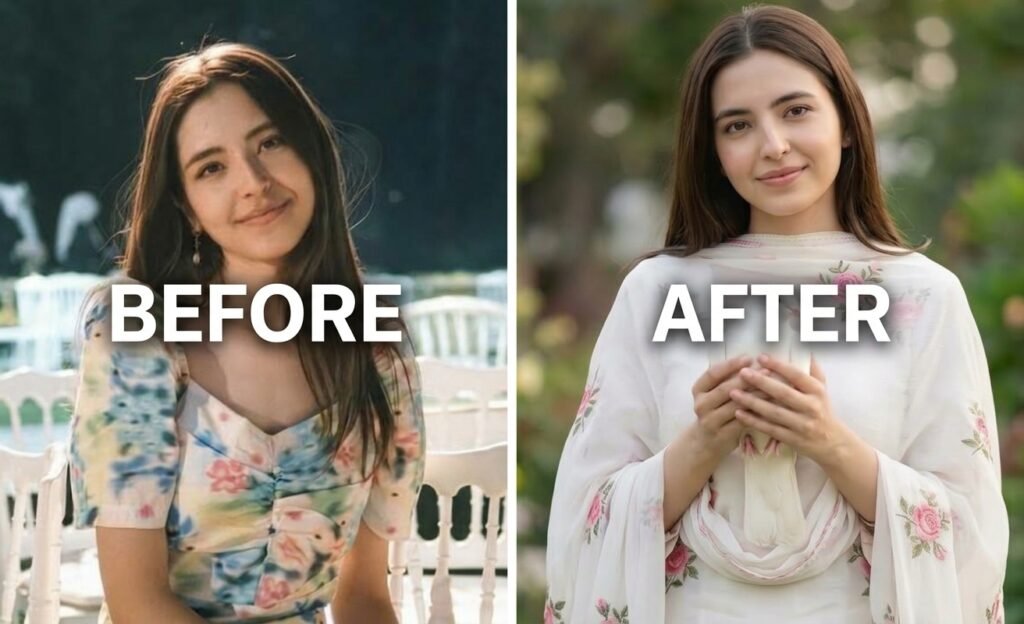
Elegant White Floral Dress & Dove Portrait prompt
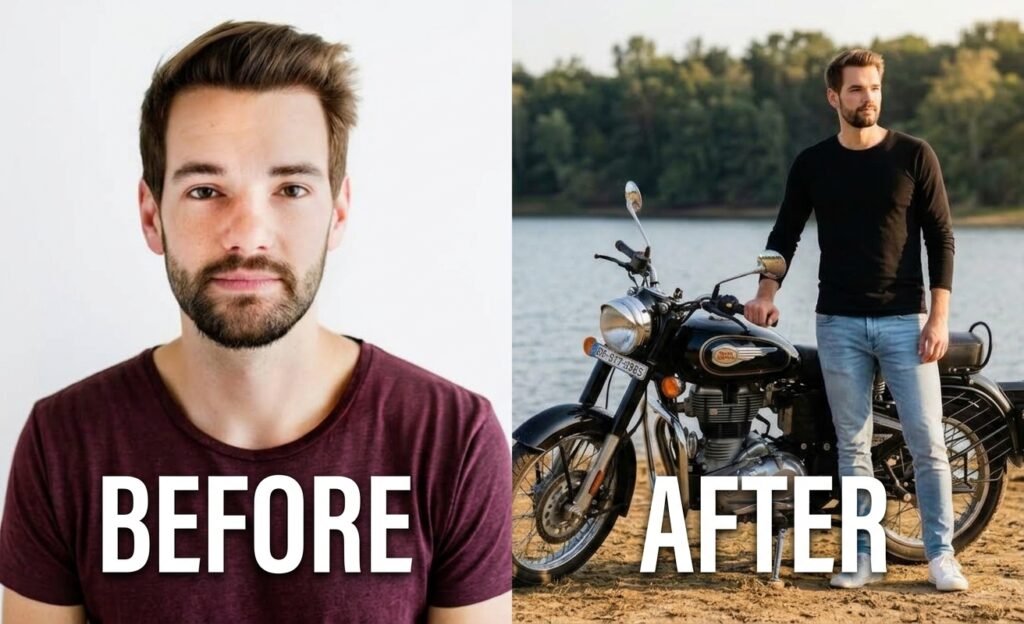
Cinematic Lakeside Motorcycle Rider Photo prompt
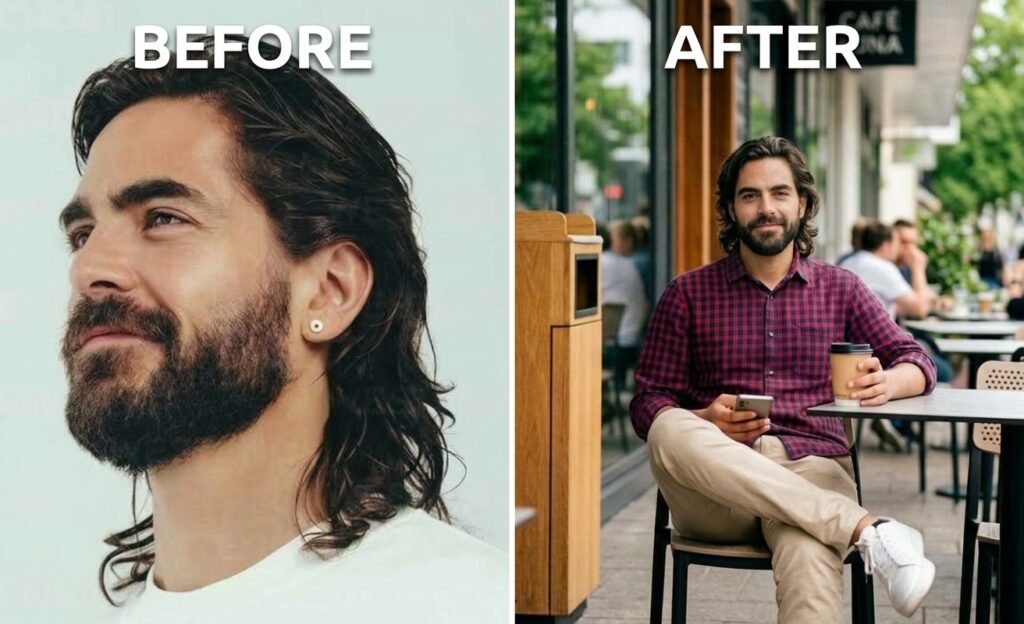
Stylish Cafe Lifestyle Photo Transformation Prompt
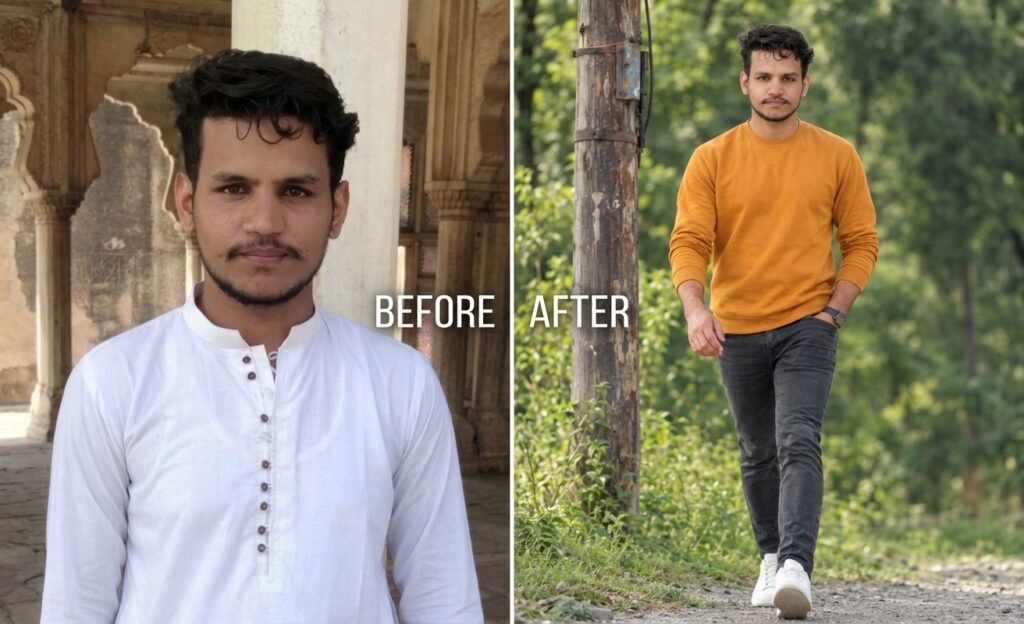
Cinematic Forest Walking Photo Prompt
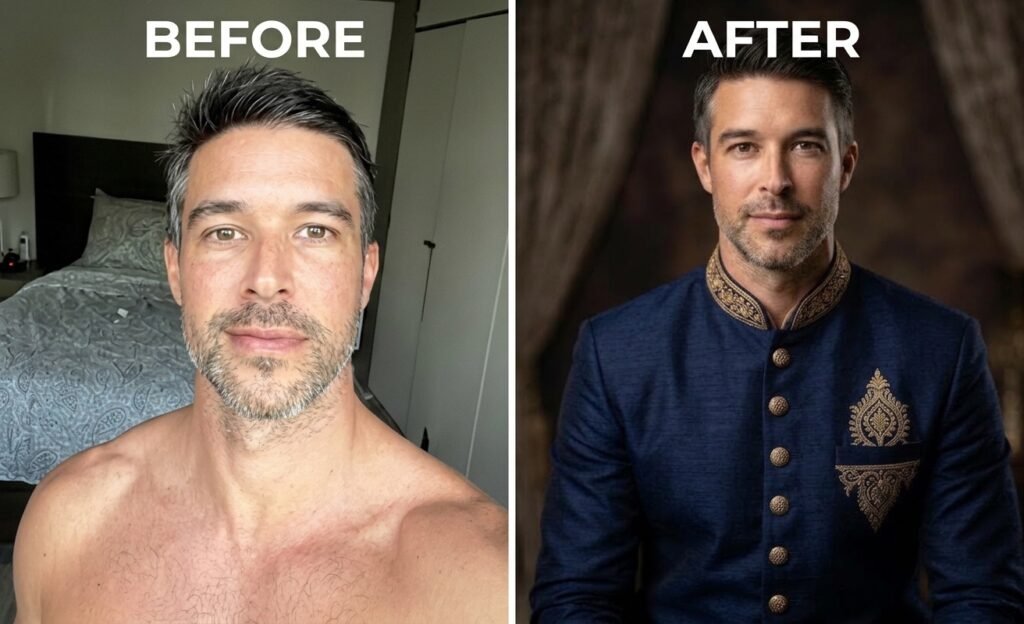
Traditional / Cultural Outfit Prompt
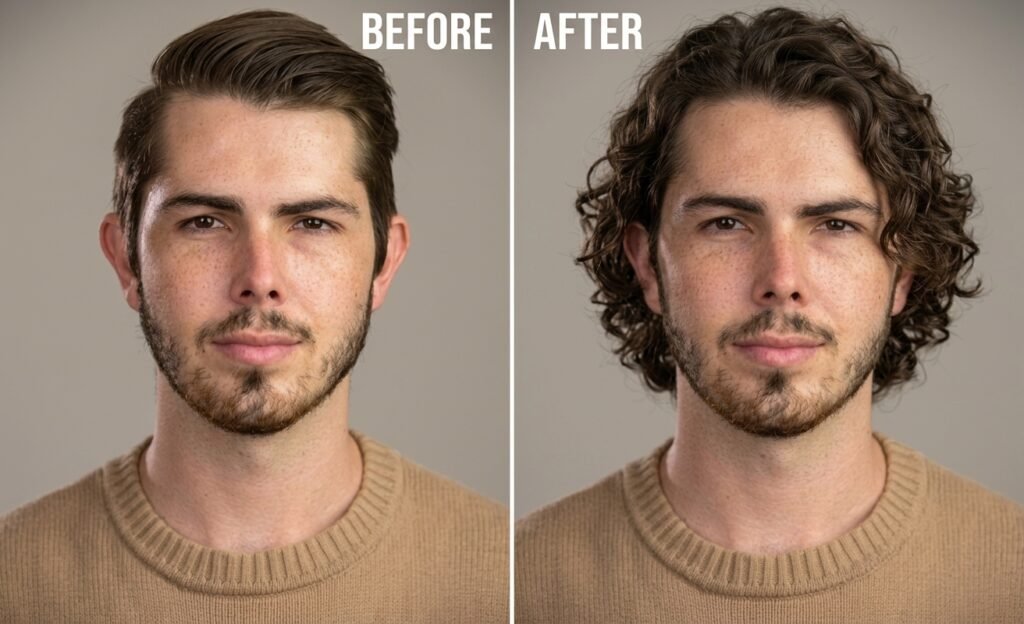
Hairstyle Transformation Prompt
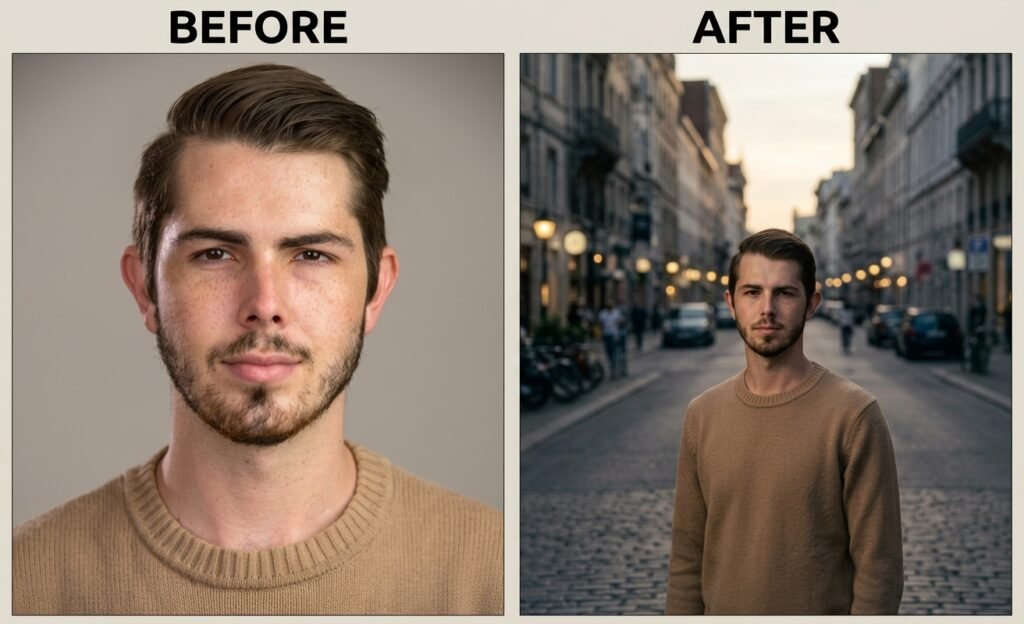
Cinematic Movie Look Prompt
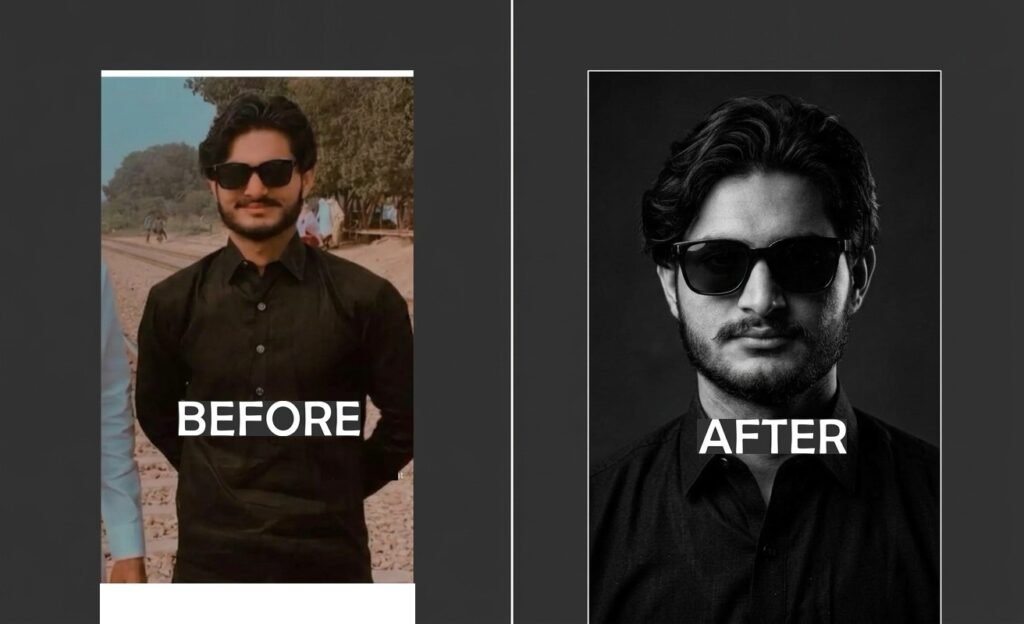
Black & White Editorial Prompt
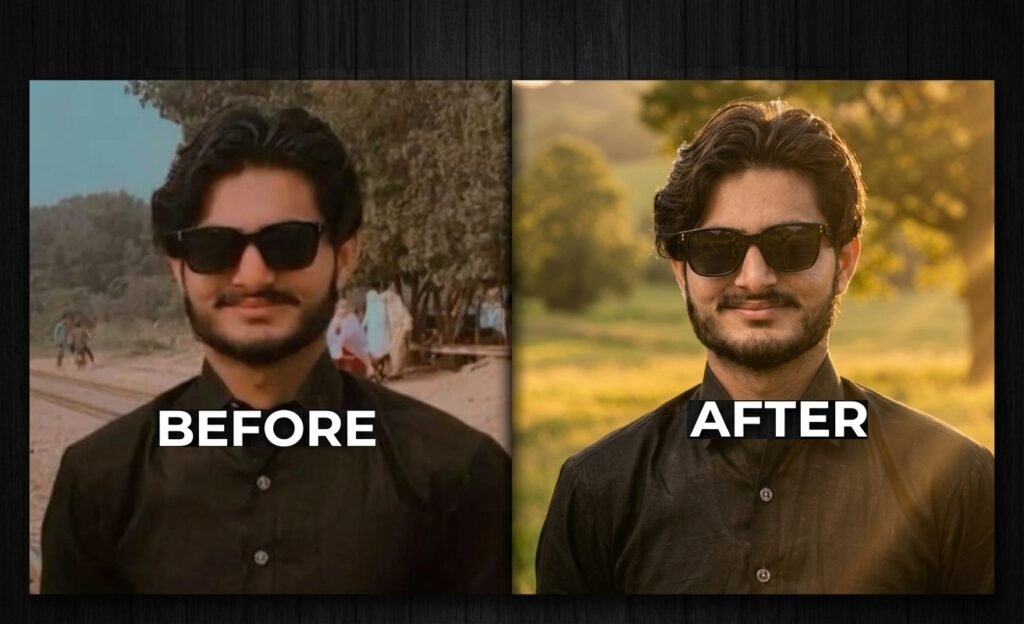
Golden Hour Transformation prompt
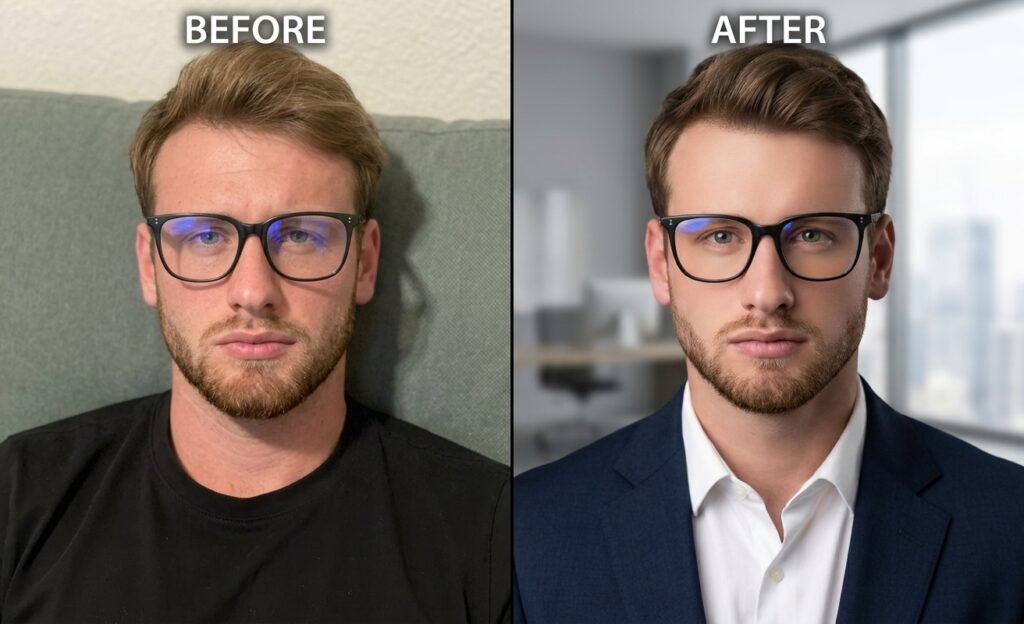
Corporate / LinkedIn Photo Prompt
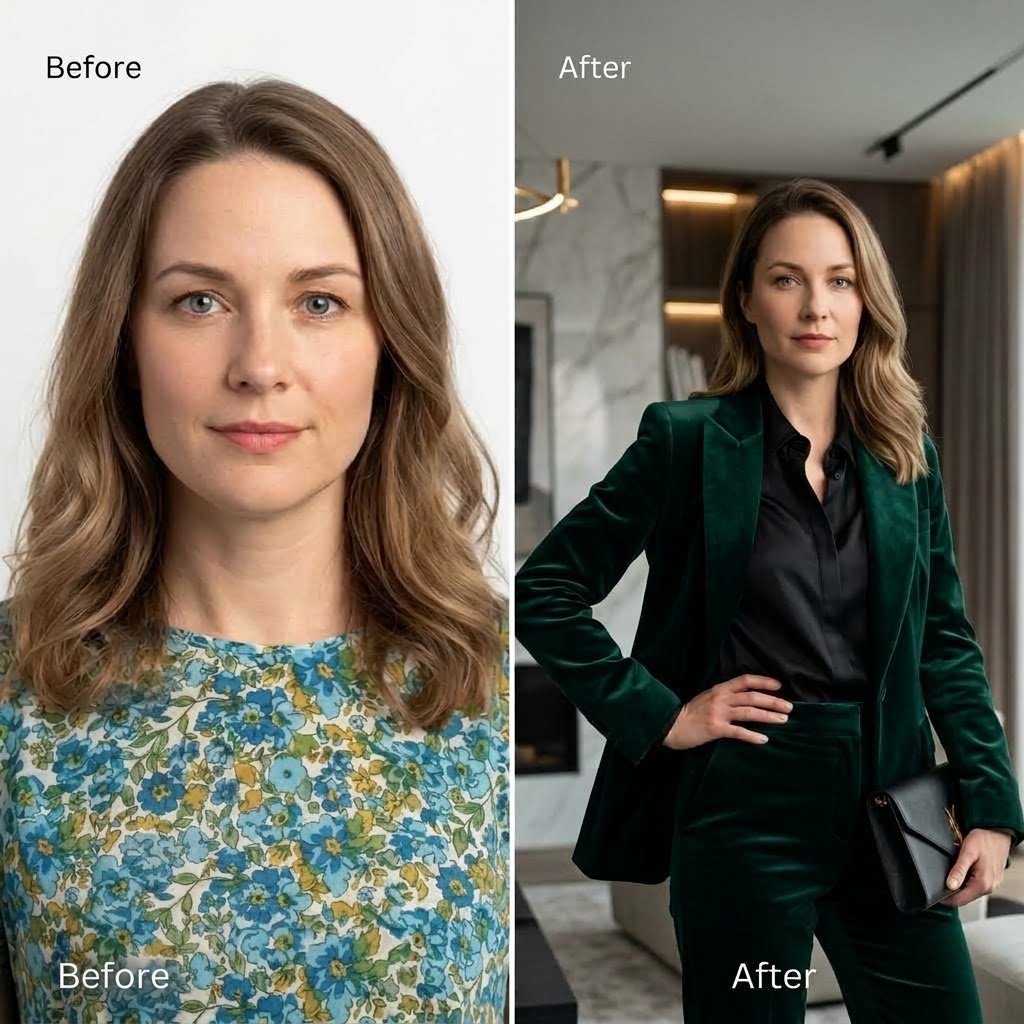
Luxury Fashion Editorial Prompt
How to Use AI Photo Editing Prompts
Using an AI photo editing prompt is simple. Upload your original image to an AI image editor, choose a prompt that matches the look you want, and paste the prompt into the editor. For the most consistent results, keep the original image and use the same model and settings when possible.
Step 1 — Upload Your Photo
Choose a clear, high-quality photo with the face visible.
Step 2 — Choose a Prompt
Select a transformation such as professional portrait, fashion, cinematic, hairstyle, lighting, or background editing.
Step 3 — Copy the Prompt
Click Copy Prompt on any prompt card.
Step 4 — Generate Your Image
Paste the prompt into your AI image generator and upload your original photo.
Step 5 — Adjust if Needed
If necessary, modify only the styling, lighting, background, or clothing while keeping the identity-preservation instructions.
Find answers to common questions about AI
photo editing prompts and identity-preserving
image transformations.
A well-written prompt can specifically
instruct the image editor to preserve
the person's identity and facial structure.
However, different AI models handle identity
preservation differently, so results can vary.
Use explicit identity-preservation instructions
such as keeping the original face shape, eyes,
nose, lips, jawline, cheekbones, skin tone, age,
and natural proportions unchanged.
Most prompts can be adapted to different AI
image editing tools, although the exact result
can vary depending on the model, reference-image
support, settings, and available controls.
Use the same original image, model, aspect ratio,
and settings when your image editor supports those
controls. Some tools also provide reference-image
or seed controls that can improve consistency.
Yes. Prompts can be adapted for Instagram
portraits, professional profile photos,
LinkedIn headshots, fashion photos, and
other social-media images.
Frequently Asked Questions