
By the Explanex Editorial Team — We compared current sources, official pricing pages, free tiers, citation support, and real student use cases across 10 tools to find what actually helps.
Let’s be real for a second.
The semester starts in two weeks. You’ve got five syllabi staring at you, three reading lists that could fill a small library, and a professor who already mentioned a “short” 3,000-word essay. Sound familiar?
Here’s a common scenario: a student spends six hours on a research paper outline — manually. This year? The same type of outline can come together in twenty minutes using two free AI tools. That’s the difference we’re talking about.
But here’s the thing most guides won’t tell you: not every AI tool is worth your time. Some are overpriced. Some hallucinate citations. Some will get you flagged for academic dishonesty faster than you can say “I just used it for brainstorming.”
So we went through the top tools, compared their pricing pages, reviewed their free tiers, and ranked them based on what actually matters to students. No fluff. No vague “this tool is great for productivity” nonsense.
Here’s what we found.
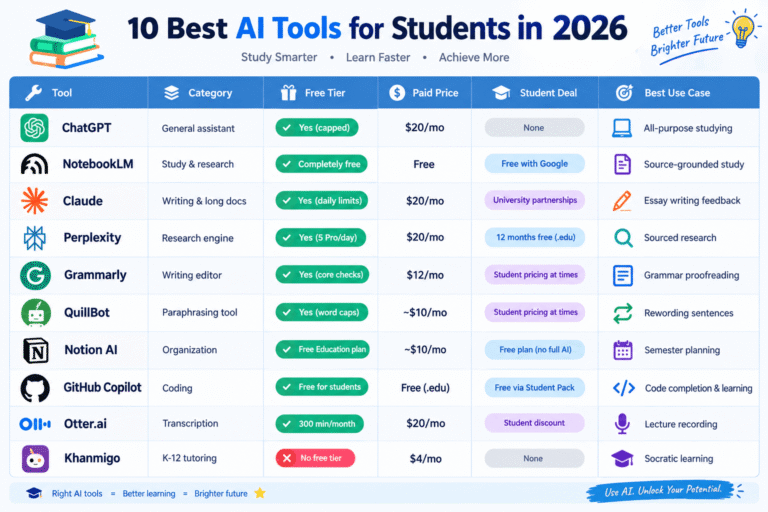
Quick Answer — Top Picks at a Glance
Don’t want to read the whole thing? We get it. Here’s the short version:
If you just want three tools: ChatGPT (or Claude) for general help, NotebookLM for studying your own notes, and Grammarly for writing polish. That stack costs you zero dollars and covers 90% of what you need (AI Business Weekly).
How We Compared These AI Tools
We’ll be transparent about methodology because trust matters here.
We didn’t just read marketing pages. We compared current sources, official pricing pages, free tier limitations, citation accuracy claims, and real student use cases. For each tool, we looked at four things:
-
What the free tier actually gives you (not what the homepage promises)
-
What you pay if you upgrade (and whether it’s worth it for students)
-
Whether the tool hallucinates citations (a dealbreaker for research papers)
-
How professors might detect it (academic integrity is non-negotiable)
We cross-referenced pricing and features against sources like AI Business Weekly, Fello AI, Jotform’s tool guide, and EdTech Magazine. Where sources disagreed, we went with the most recently updated page.
One thing we want to be upfront about: we did not write a full essay in each tool. We compared workflows, reviewed pricing pages, and synthesized what multiple independent reviewers reported. Take any “best” label with that context.
What Kind of Student Are You?
Different students need different tools. A high schooler struggling with algebra doesn’t need the same stack as a PhD candidate writing a literature review. Let’s break this down.
High School Students
You need tools that teach, not just give answers. Khanmigo is built on the Socratic method — it asks you questions instead of handing you the answer. That’s exactly what a high school student needs (AI Business Weekly).
Photomath handles the “I’m stuck on this one problem” moments. NotebookLM turns your class notes into study guides. And Quizlet AI generates flashcards from your textbook chapters in about a minute instead of an hour (Fello AI).
Recommended stack: Khanmigo + NotebookLM + Photomath. Cost: about $4/month if you pay for Khanmigo, or $0 if you skip it and use ChatGPT’s free Study Mode.
University / Undergrad Students
This is where it gets interesting. You’re juggling essays, research papers, coding assignments, and group projects — sometimes all in the same week.
The strongest free stack for undergrads is Claude (free tier) for writing feedback, Perplexity (free Pro for 12 months with a .edu email) for research citations, NotebookLM for exam prep, ChatGPT free for general questions, and Grammarly free for proofreading (AI Business Weekly).
That’s five tools. Total cost: $0.
Picture this: a classmate discovers Perplexity’s student deal. She’s skeptical. “Free Pro for a year? What’s the catch?” There isn’t one — you just need a verified .edu email. She ends up using it for every research paper that semester.
Grad Students / Thesis Writers
You need tools that handle dense academic literature. Elicit helps with systematic literature reviews by building comparison tables across multiple papers. Consensus searches only peer-reviewed research and shows you where the academic community agrees or disagrees (Fello AI).
Pair Consensus with Semantic Scholar for paper discovery and Research Rabbit for citation-network mapping. Claude’s 200K-token context window (available even on the free tier) lets you upload an entire research paper or a semester’s worth of lecture notes in one conversation (AI Business Weekly).
Recommended stack: Elicit + Consensus + Claude + Perplexity. Heavy on research tools, light on flashcard apps.
The 10 Best AI Tools for Students, Ranked
1. ChatGPT — Best Overall
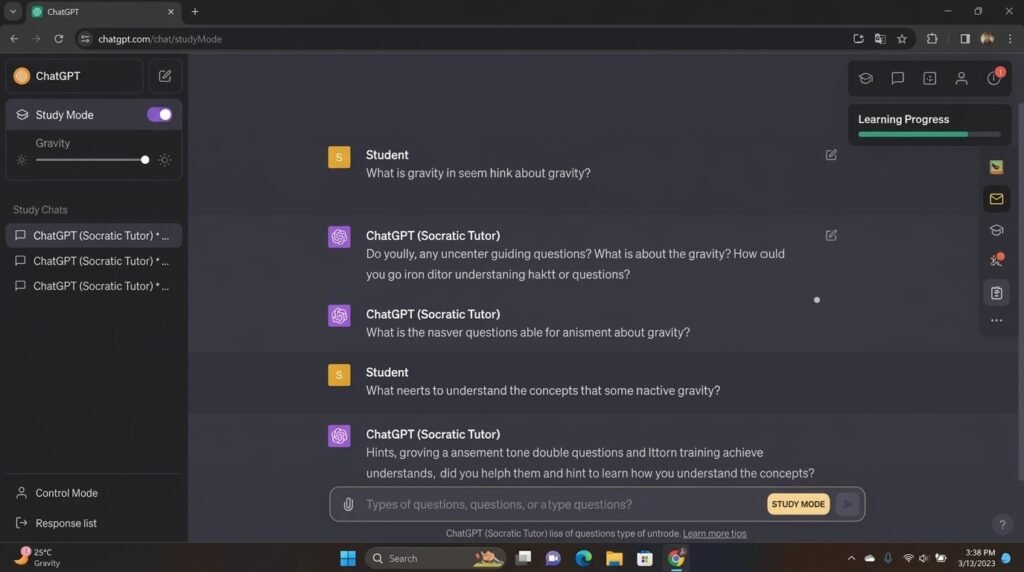
What it does: ChatGPT is the Swiss Army knife of AI tools. It explains concepts, generates practice quizzes, helps with brainstorming, summarizes readings, writes code, and even has a dedicated Study Mode that uses Socratic questioning to guide you toward answers instead of just giving them (AI Business Weekly).
Pros:
-
Most widely adopted among students — widely reported as the default AI assistant for homework and studying (AI Business Weekly)
-
Study Mode is free for all logged-in users
-
Handles text, images, and audio
-
Works across almost every subject
Cons:
-
Hallucinates citations. Always verify specific facts in primary sources.
-
Free-tier limit of 10 messages per 5 hours can run out during exam season
-
No student discount
-
Copying essay output directly can be detected and reduces writing quality
Pricing: Free tier with unlimited text chats and daily usage caps (OpenAI pricing page); Plus at $20/month for higher limits and newer models (AI Business Weekly). No student discount listed on the official pricing page.
Best for: Almost everyone. If you’re starting from zero, start here.
2. NotebookLM — Best Free Option
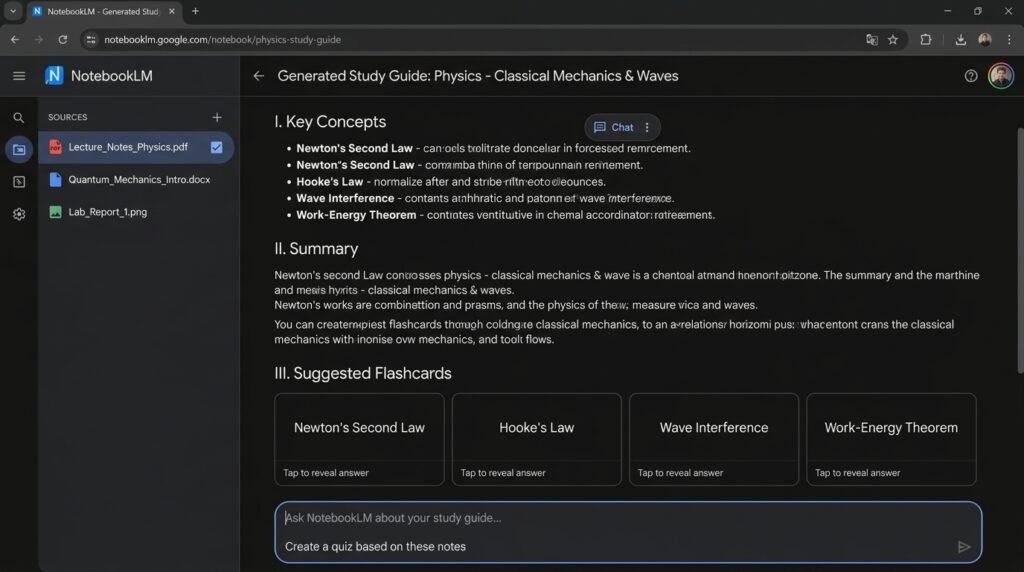
What it does: You upload your lecture notes, textbook chapters, PDFs, and even YouTube lecture links. NotebookLM grounds its answers only in what you uploaded. It creates study guides, practice questions, summaries, and even podcast-style audio discussions between two AI voices about your material (Fello AI).
Pros:
-
Completely free with any Google account
-
Can’t hallucinate outside your uploaded sources
-
Reinforces the exact terminology and frameworks from your course
-
Audio Overview feature is surprisingly useful for commuting
Cons:
-
Only knows what you upload — incomplete reading lists give incomplete answers
-
Requires organized source material to be useful
-
Not a research tool for finding new sources
Pricing: Free. No paid tier needed for core features (AI Business Weekly).
Best for: Exam prep, studying from your own notes, and reducing hallucination risk.
3. Claude — Best for Essay Writing
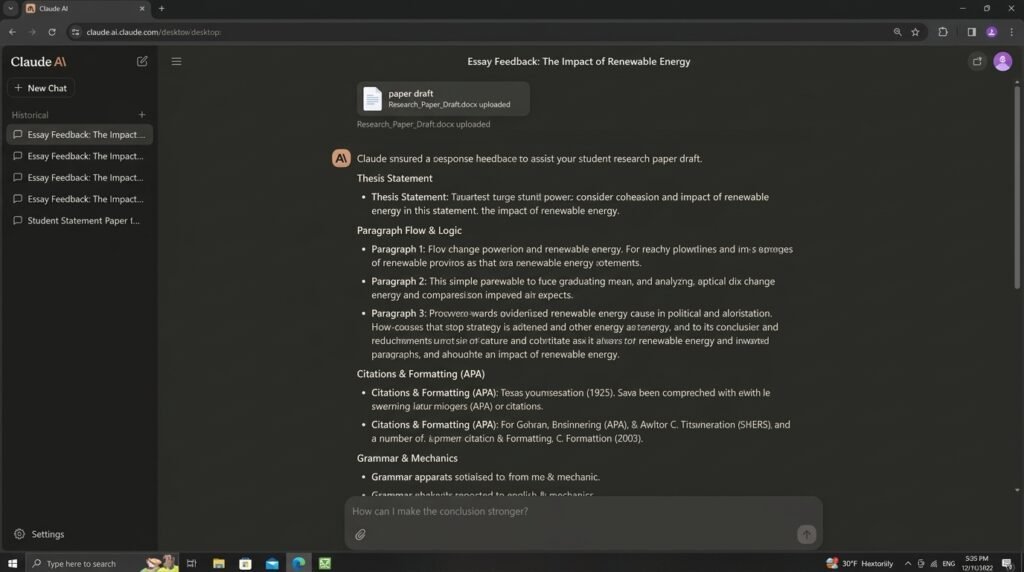
What it does: Claude handles long documents like no other tool. Its 200K-token context window (available on the free tier) lets you upload entire research papers or a semester’s lecture notes in one conversation. It’s ranked as the top AI tool for writing quality among major assistants as of April 2026 (AI Business Weekly).
Pros:
-
Ranked as producing the highest-quality writing output among major AI tools (AI Business Weekly)
-
200K context window on free tier — handles full papers and long PDFs
-
Explains not just what the answer is, but why it’s correct
-
More careful about acknowledging when information is absent from a source
-
Student discount available through university-wide Education plans, but no individual student price is listed (Anthropic pricing page)
Cons:
-
Free-tier daily limits run out faster than ChatGPT when processing long documents
-
More cautious — sometimes declines benign requests
-
AI-generated prose can sound generic if accepted wholesale
-
No individual student discount for the general public (university partnerships only)
Pricing: Free tier at $0 with daily message limits and a 200K context window; Pro at $20/month (monthly) or $17/month (annual, $200 billed up front) (Anthropic pricing page).
Best for: Humanities and writing-heavy majors, structural essay feedback, and dense reading.
4. Perplexity AI — Best for Research & Citations
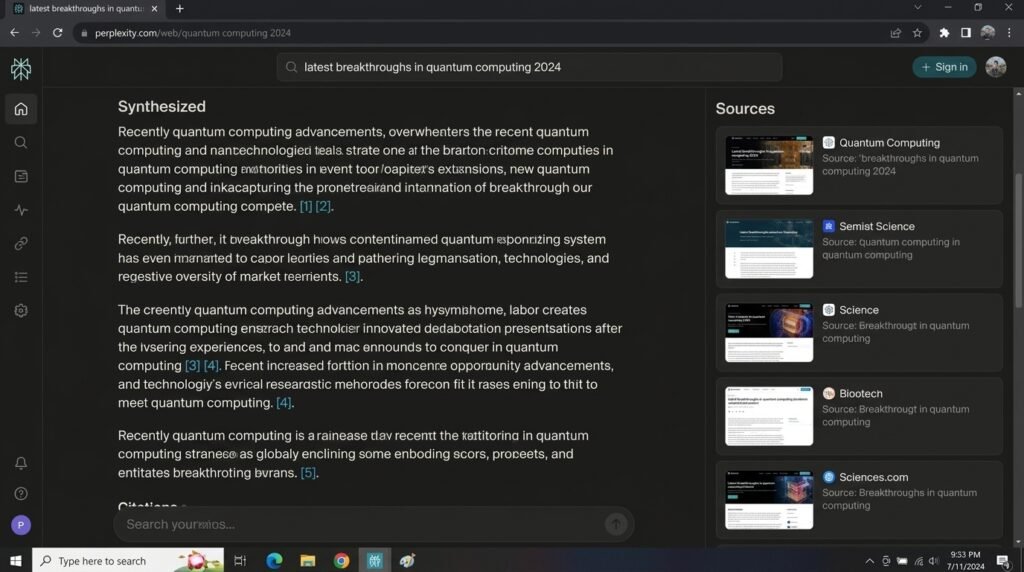
What it does: Perplexity is an answer engine that searches the live web on every query and provides numbered, clickable citations for every claim. You can restrict searches to academic papers or news sources. Verified students get Perplexity Pro free for 12 months through the Perplexity Education program (AI Business Weekly).
Pros:
-
Every claim links to a verifiable source
-
94% citation accuracy, as reported by independent reviewers (AI Business Weekly)
-
Student Pro offer (12 months free with .edu email) is one of the best AI deals available
-
Pro searches use Claude and GPT models instead of the standard Sonar model
-
Great for finding current research and building a reading list
Cons:
-
Citations prove a source exists, not that the source supports the summary
-
Standard free searches may not be enough for intensive research papers
-
You still need to read the actual sources
-
Student deal requires verification and may not be permanently available
Pricing: Free with unlimited standard searches and 5 Pro searches/day; Pro at $20/month. Students get 12 months of Pro free with a verified .edu email (AI Business Weekly).
Best for: Research-heavy subjects like history, psychology, political science, and sociology.
5. Grammarly — Best for Grammar & Proofreading
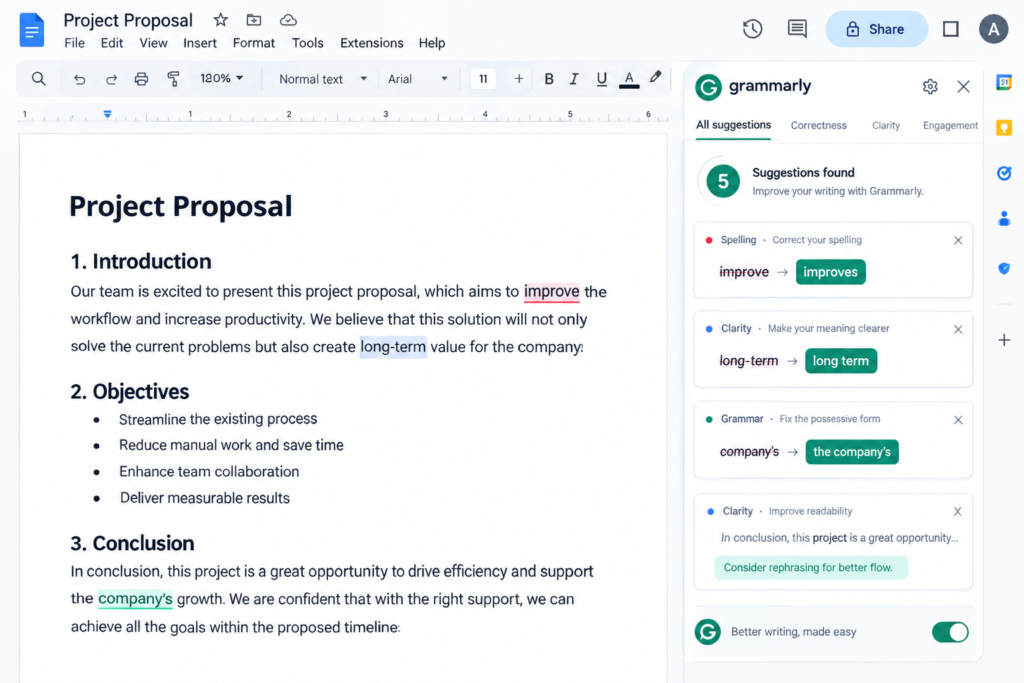
What it does: Grammarly is an AI editor, not an AI writer. It catches grammar errors, suggests clarity improvements, adjusts tone, and works across Google Docs, Word, and most browsers. The free tier handles basic grammar and spelling. Premium adds full clarity, tone, and style suggestions (AI Business Weekly).
Pros:
-
Functions as an editor, not a writer — most institutions consider grammar checking equivalent to proofreading
-
Explanations make it a teaching tool, not just a fixer
-
Tone detector helps with emails to professors
-
Useful for non-native English writers
-
Works everywhere you type
Cons:
-
Accepting every suggestion makes your writing sound flat and corporate
-
Premium rewriting suggestions can strip your voice
-
Suggestions are tuned for general business English — may conflict with academic conventions
-
Plagiarism checker requires Premium
Pricing: Free tier with core checks; Premium at $12/month (AI Business Weekly).
Best for: Final-pass proofreading on essays you’ve already written yourself.
6. QuillBot — Best for Paraphrasing
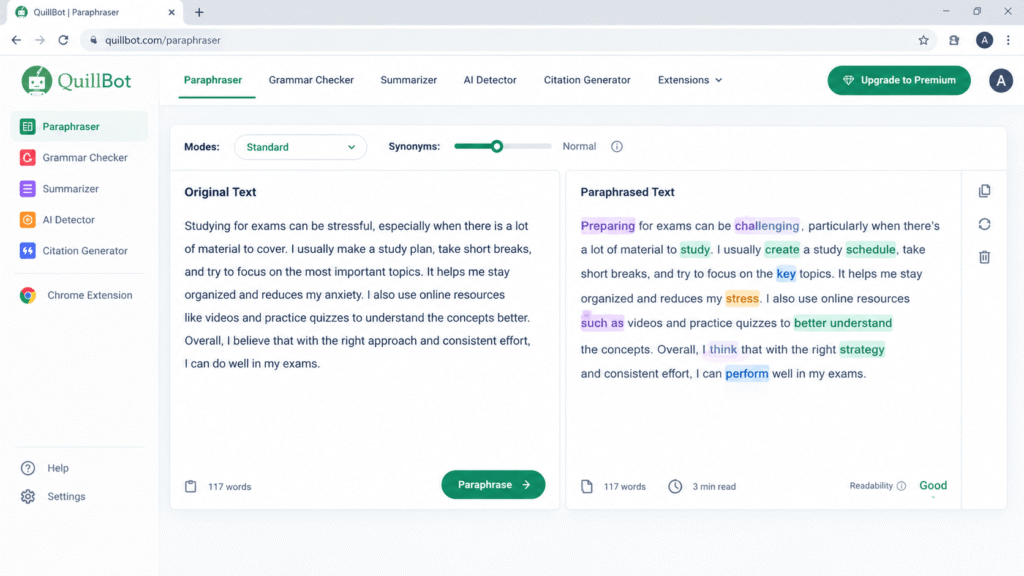
What it does: QuillBot specializes in paraphrasing and summarizing. It offers different modes — Fluency, Formal, Shorten — and works on style and phrasing. The free tier has word caps per rewrite; the paid version unlocks all modes and longer rewrites (Fello AI).
Pros:
-
Fluency mode fixes grammar and awkward sentences effectively
-
Formal mode works well for academic submissions
-
Shorten mode helps when you’re over the word limit (we’ve all been there)
-
Free tier is genuinely useful for short passages
Cons:
-
Paraphrasing someone else’s work doesn’t remove the requirement to cite the original
-
Rewording text specifically to avoid similarity checks is plagiarism
-
Free tier word caps are restrictive for longer passages
-
Can produce clunky results on complex academic sentences
Pricing: Free tier with word caps; paid plan around $10/month (Fello AI).
Best for: Fixing awkward sentences and meeting word limits on your own writing.
7. Notion AI — Best for Organization & Planning
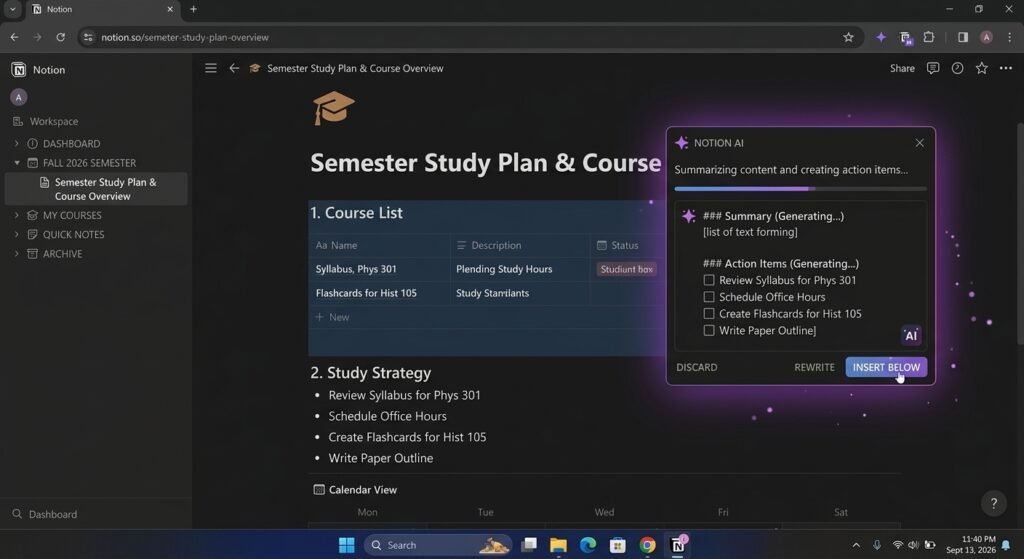
What it does: Notion AI organizes your coursework, answers questions across your own notes, and synthesizes information from months of notes into coherent summaries. Verified students get a free Notion Education plan, though full AI features require a higher paid tier (Fello AI).
Pros:
-
Free Education plan for verified students (university email required)
-
Can build semester dashboards and assignment trackers
-
Synthesizes information across all your notes
-
Works well for group projects with shared workspaces
Cons:
-
Free Education plan doesn’t include full Notion AI
-
Works best if you already maintain tidy notes
-
Has a real setup cost — building elaborate systems can feel productive without producing actual study
-
Does little if your notes weren’t created in Notion
Pricing: Free Education plan for verified students; full AI features at an additional cost (Fello AI).
Best for: Students who already use Notion and want AI to help organize their semester.
8. GitHub Copilot — Best for Coding
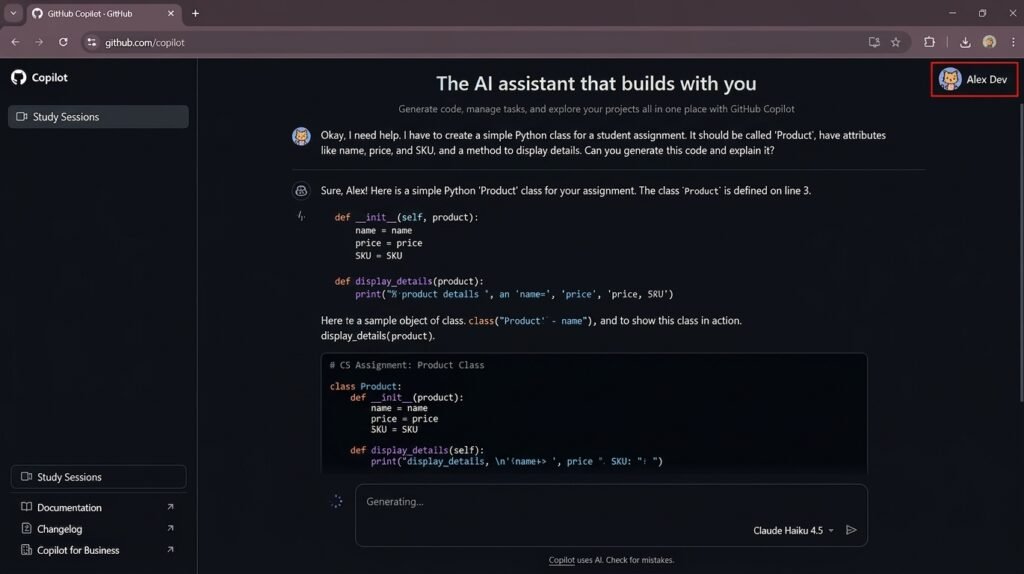
What it does: GitHub Copilot works inside your code editor to provide real-time code suggestions, explain code, and help with debugging. Since March 2026, verified students use the Copilot Student plan, which includes 200 monthly AI credits and unlimited code completions (Fello AI).
Pros:
-
Free through the GitHub Student Developer Pack (.edu email required)
-
Unlimited code completions on the student plan
-
Code explanations turn it from a completion tool into a learning tool
-
Useful for Python or R data analysis, not just software engineering
Cons:
-
200 monthly AI credits can run out for active developers
-
Premium models are restricted on the student plan
-
Verification takes 1-3 days (AI Business Weekly)
-
Code generation can create academic-integrity problems if you submit it as your own
Pricing: Free for verified students via GitHub Student Developer Pack. Eligibility requires being 13+ and enrolled in a degree or diploma program. The Copilot Student plan includes 200 monthly AI credits and unlimited code completions (Fello AI). Verification takes 1-3 days.
Best for: CS students, STEM students doing data analysis, and anyone learning their first programming language.
9. Otter.ai — Best for Lecture Transcription
What it does: Otter.ai records lectures in real time and transcribes them with speaker identification. You get searchable transcripts, automatic summaries, and accessibility support. The free plan includes 300 transcription minutes per month with a 30-minute cap per conversation (Fello AI).
Pros:
-
Lets you listen and think instead of frantically typing notes
-
Searchable transcripts help you find specific terms across recordings
-
Automatic summaries support quick revision
-
Useful for hearing impairments and second-language learners
-
Student discount available
Cons:
-
30-minute cap per conversation can cut off a standard lecture
-
Accuracy drops with heavy accents, overlapping speakers, and technical vocabulary
-
Transcripts shouldn’t be treated as verbatim quote sources
-
You need permission to record in some institutions
Pricing: Free plan with 300 min/month; paid at $20/month. Student discount available (Fello AI, Jotform).
Best for: Students who learn better by listening and want searchable lecture records.
10. Khanmigo — Best for K-12 Tutoring
What it does: Khanmigo is an AI tutor built on Khan Academy’s content library. It uses the Socratic method — responding with questions instead of direct answers. It guides you through reasoning and sends you to relevant practice problems. Khan Academy pilot districts reported a 1.4 grade-level improvement using Khanmigo, according to Khan Academy’s own pilot data (AI Business Weekly).
Pros:
-
Designed to produce learning, not just answers
-
Encourages engagement with underlying concepts
-
Patient, personalized explanations
-
Suitable for K-12 math, science, and reading
-
Connects to Khan Academy’s practice problem library
Cons:
-
No free tier for students
-
Not ideal for graduate research
-
Not ideal for high-volume homework help
-
Limited to Khan Academy’s curriculum coverage
Pricing: $4/month for students and families; free for teachers (AI Business Weekly).
Best for: K-12 students and early college students revisiting foundational concepts.
Free vs Paid AI Tools — What You Actually Need
Here’s the honest truth: you probably don’t need to pay for anything.
The strongest free stack for most students is NotebookLM (completely free), ChatGPT or Claude (free tiers), Perplexity (free Pro for 12 months with a .edu email), and Grammarly (free core checks). Together they cover roughly 90% of student needs at zero cost (Fello AI, AI Business Weekly).
So when does paying make sense?
Google also offers eligible US college students 12 months of Google AI Pro at no cost, and students in 140+ markets get 12 months of Google AI Plus. You need to claim it by December 31, 2026 (Fello AI).
Our take? Start with the free stack. If you find yourself bumping against limits consistently, upgrade the one tool where it hurts the most. Don’t pay for five subscriptions when two free tools cover the same ground.
Will Professors Know You Used AI?
This is the section most guides gloss over. We’re not going to do that.
Here’s the short answer: if you copy-paste raw AI output, yes. Professors will know. If you use AI as a brainstorming partner, research assistant, or grammar checker, you’re generally fine — but check your syllabus.
How AI Detection Works
Turnitin’s own blog states a document-level false positive rate of less than 1% for documents where AI-generated text constitutes at least 20% of the content, and a sentence-level false positive rate of around 4% (Turnitin). Turnitin recommends using AI detection scores as a conversation starter, not a verdict.
But independent testing tells a different story. Turnitin’s detection of unedited GPT-4 and Claude output in academic register lands in the 90-95% range — strong, but below the company’s marketing claims (Leap AI).
And here’s where it gets concerning. False-positive rates climb to 5-12% for non-native English writing, heavily edited drafts, and highly technical prose (Leap AI).
A Stanford HAI study found something even more alarming. Seven major AI detectors were tested on 91 TOEFL essays written by non-native English students. The detectors classified 61.22% of those essays as AI-generated. All seven detectors unanimously flagged 18 of the 91 essays (19%) as AI-written, and 89 of 91 (97%) were flagged by at least one detector. For comparison, the same detectors were “near-perfect” on essays written by U.S.-born eighth-graders (Stanford HAI).
Let that sink in. 61% of honest, non-native English student writing was flagged as AI-generated.
What Professors Actually Look For
Here’s the thing most students don’t realize: professors are becoming better at identifying AI use through behavioral signals, not just detection tools (AI Business Weekly).
They look for:
-
Sudden changes in writing quality or style across the semester
-
Voice shifts — your essay suddenly sounds nothing like your discussion posts
-
Ideas that never appeared in class discussions
-
Generic argumentation that could apply to any topic
-
Citations that don’t check out
A growing number of institutions have actually stepped back from using AI detectors as proof of misconduct because the tools produce both false positives and false negatives (Fello AI).
What Universities Actually Say
University policies on AI vary widely. Carnegie Mellon University, for example, outlines three distinct approaches that instructors can adopt:
-
Forbid AI entirely — no generative AI at any stage, including brainstorming
-
Allow and encourage AI — with proper acknowledgment and citation (including prompts and AI responses in an appendix)
-
Allow AI conditionally — only for specific assignments or in-class exercises, with the instructor specifying when it’s permitted
CMU’s policy makes clear that passing off AI-generated content as your own — whether by cutting and pasting or paraphrasing — constitutes a violation of academic integrity (Carnegie Mellon University).
The bottom line? There is no universal rule. Every professor, every department, and every university handles AI differently. Check your syllabus. Ask your professor. When in doubt, disclose.
The Safe Way to Use AI
There’s a clear line between using AI as a tool and using it to do your work. Here’s the workflow we recommend:
-
Write your first draft yourself. This is non-negotiable.
-
Use Claude for structural feedback on your draft
-
Use Perplexity to verify facts and find real sources
-
Use Grammarly for final grammar and clarity polishing
-
Use NotebookLM to study the concepts covered by your paper
This workflow keeps you on the right side of academic integrity while still saving you hours. Using AI to understand material, check reasoning, generate practice questions, or get feedback on a draft you wrote is generally accepted. Using AI to generate and submit the work itself is academic dishonesty at most institutions (AI Business Weekly).
Pro tip: Keep your draft history and version control. If you’re ever accused, having a record of your writing process — drafts, edits, research notes — is your best defense (Leap AI).
Comparison Table — All Tools Side-by-Side
What Is Artificial Intelligence? 5 Simple Things to Know
15 Best AI Tools for Teachers in 2026: Free Tools That Actually Help?
FAQs
What is the best free AI tool for students?
NotebookLM is the best completely free AI tool for students. It’s free with any Google account, grounds answers in your uploaded sources, and can’t hallucinate outside them. Pair it with ChatGPT’s free tier and Grammarly’s free core checks, and you’ve covered most student needs at zero cost (Fello AI).
Is it okay for students to use AI writing tools?
Yes, with conditions. Most institutions consider grammar checking, punctuation correction, and clarity suggestions equivalent to proofreading help when applied to work you wrote yourself. Using AI to brainstorm, outline, generate practice questions, or get feedback on your draft is generally accepted. Submitting AI-generated text as your own work is academic dishonesty. Policies vary by course and instructor (AI Business Weekly, Carnegie Mellon University).
Can teachers detect AI-written essays in 2026?
Yes, but detection is imperfect. Turnitin’s own blog states a document-level false positive rate of less than 1% for documents with 20%+ AI content. Independent testing puts actual accuracy at 90-95%. A Stanford HAI study found detectors flagged 61.22% of non-native English student essays as AI-generated. Professors increasingly rely on behavioral signals — sudden style changes, generic arguments, and citations that don’t check out (Turnitin, Stanford HAI, Leap AI).
What’s the difference between Grammarly and ChatGPT for students?
Grammarly is an editor — it improves writing you’ve already done. ChatGPT is a generator — it creates new content. Grammarly checks grammar, clarity, and tone on existing drafts. ChatGPT explains concepts, drafts outlines, and generates practice quizzes. Most students benefit from both: ChatGPT for brainstorming and learning, Grammarly for final-pass proofreading (AI Business Weekly).
Which AI tool is best for citations and research papers?
Perplexity AI is the best tool for research with verifiable citations. It provides numbered, clickable citations for every claim and reports 94% citation accuracy. Verified students get 12 months of Pro free with a .edu email. For deeper academic research, pair it with Elicit for literature reviews and Consensus for finding peer-reviewed consensus (AI Business Weekly).
Do AI tools work for non-English/ESL students?
Yes, but with caveats. Grammarly’s free tier is especially useful for non-native English writers. However, AI detectors show significant bias — a Stanford HAI study found 61.22% of non-native English student essays were falsely flagged as AI-written, compared to near-perfect accuracy on native English essays. ESL students should keep detailed draft histories and be transparent with professors about their writing process (Stanford HAI, AI Business Weekly).
What’s the safest AI tool that won’t get flagged for plagiarism?
NotebookLM is the safest tool because it only uses your uploaded sources and can’t generate content outside them. Grammarly’s free tier is also safe because it functions as a proofreader, not a writer. The safest workflow is writing your own draft, using AI for feedback and research, and keeping detailed version history (AI Business Weekly).
Final Verdict / Our Recommendation
Here’s what we’d actually do if starting a new semester tomorrow.
If you want to spend $0: Use NotebookLM for studying, ChatGPT or Claude free for general help, Perplexity (free Pro with .edu email) for research, and Grammarly free for proofreading. That’s your stack. It covers 90% of what you need.
If you can spend $20/month: Upgrade the tool where free limits hurt the most. For most students, that’s ChatGPT Plus or Claude Pro. Don’t pay for five subscriptions when two free tools cover the same ground.
If you’re a grad student: Invest in research tools. Elicit, Consensus, and Perplexity Pro will save you dozens of hours on literature reviews.
If you’re in high school: Khanmigo ($4/month) teaches you instead of giving answers. Pair it with NotebookLM and Photomath.
The most important thing we can tell you? AI is a tool, not a shortcut. The students who succeed with these tools aren’t the ones copying AI output. They’re the ones using AI to learn faster, research deeper, and write better — while keeping their own voice.
Start with the free stack. See where you hit walls. Upgrade the one tool that matters most.
And for the love of everything, don’t submit raw AI output. Your professor will know.