

Introduction
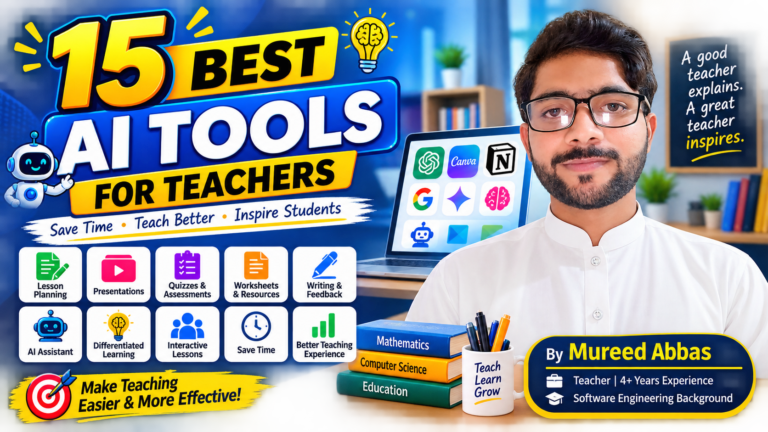
15 Best AI Tools for Teachers in 2026: Free Tools That Actually Help?
Best Ai tools for teachers in 2026….
Teaching is not only about standing in front of a class and explaining a lesson.
A teacher also has to prepare lessons, make worksheets, create quizzes, check assignments, prepare presentations, write notes, answer questions, and sometimes complete a lot of school paperwork.
This is where AI tools for teachers can be helpful.
AI cannot replace a good teacher. But it can reduce some of the repetitive work and give teachers more time to focus on students.
In 2026, there are many AI tools made specifically for education. There are also general AI tools that teachers can use in creative ways.
But there is one problem.
There are too many AI tools for teachers.
You can spend hours searching for the right tool and still not know which one is actually useful.
So, I decided to make this list simple.
In this article, I have selected 15 useful AI tools for teachers that can help with lesson planning, worksheets, quizzes, presentations, research, writing, differentiation, and classroom activities.
Most of these tools have free options, although some features may have limits or require verification.
And this is not just a list based on AI hype.
I am a teacher myself. I have more than 4 years of teaching experience, and I currently teach Computer Science and Mathematics. I also have a software engineering background, so I like to understand how technology can solve real classroom problems.
These examples also include my own opinions and teaching ideas as Mureed Abbas, a teacher and the creator of Explanex.
Let’s start.
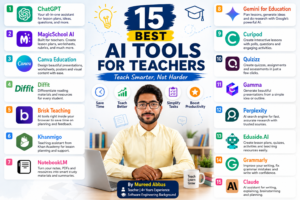
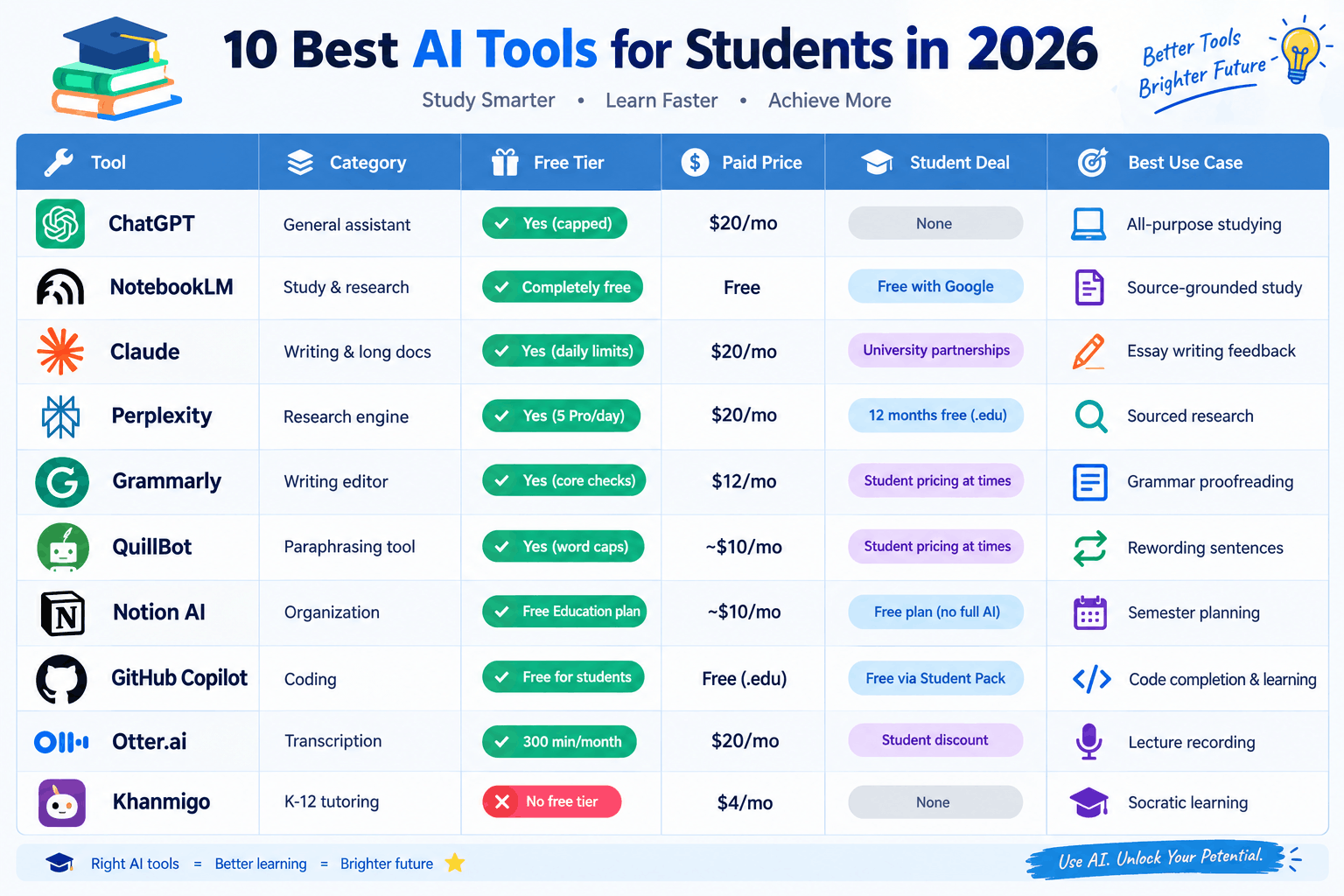
Quick Look: 15 Best AI Tools for Teachers
AI Tool |
Best For |
Free Option |
| ChatGPT | Lesson planning and ideas | Yes |
| MagicSchool AI | Teacher-specific tasks | Yes |
| Canva Education | Presentations and worksheets | Yes for eligible teachers |
| Diffit | Differentiated learning | Yes |
| Brisk Teaching | Lesson planning and feedback | Yes |
| Khanmigo | Teacher support and planning | Free teacher tools |
| NotebookLM | Research and study materials | Yes |
| Gemini for Education | Planning and Google-based work | Yes for eligible education users |
| Curipod | Interactive lessons | Limited free plan |
| Quizizz | Quizzes and assessment | Free option |
| Gamma | Presentations | Free option |
| Perplexity | Research | Free option |
| Eduaide.AI | Lesson resources | Free option |
| Grammarly | Writing and proofreading | Free option |
| Claude | Writing, explanations and planning | Free option |
Note: AI tools change their plans and limits regularly. Always check the tool’s current terms before depending on a specific free feature.
1. ChatGPT – The Flexible AI Assistant for Teachers
Let’s start with the tool most people already know: ChatGPT.
For teachers, ChatGPT can work like a personal teaching assistant.
You can ask it to create:
- Lesson plans
- Quiz questions
- MCQs
- Worksheets
- Examples
- Classroom activities
- Discussion questions
- Simple explanations
- Homework ideas
- Revision notes
- Rubrics
- Parent messages
- Learning objectives
For example, a Mathematics teacher could write:
“Explain quadratic equations to Grade 9 students using simple examples and a real-life situation.”
Instead of getting a complicated explanation, you can ask ChatGPT to make it easier.
A Computer Science teacher can also use it to explain difficult topics such as algorithms, databases, networking, programming, or cybersecurity.
My opinion
I like ChatGPT because it is flexible. You are not limited to one type of teaching task.
But there is an important rule:
Do not copy everything AI gives you directly into your classroom.
Read it first. Check the facts. Change the examples. Add your own teaching style.
ChatGPT for Teachers is currently a separate education offering that is free for verified U.S. K–12 educators through June 2028. The standard ChatGPT service is separate from that program.
Best for: Almost every teaching task
2. MagicSchool AI – Made for Teachers
MagicSchool AI is different from a general chatbot because it is designed around education.
It provides many teacher-focused tools for tasks such as:
- Lesson planning
- Assessments
- Rubrics
- Differentiation
- Writing
- Classroom activities
- Student support
- Communication
Instead of writing a long prompt from scratch, you can choose the type of task you want to complete.
That makes it easier for teachers who are new to AI.
MagicSchool currently offers a free teacher option, with additional features available through paid plans.
A simple example
Suppose you need a lesson about photosynthesis.
You can provide the grade level and topic and ask MagicSchool to create a lesson structure.
You can then change the activities based on your students.
My opinion
This is one of the tools I would recommend to a teacher who says:
“I want to use AI, but I don’t know how to write good prompts.”
Best for: Lesson planning and teacher-specific resources
3. Canva Education – Best for Visual Teaching Materials
A good lesson does not always need fancy graphics.
But sometimes a visual explanation makes a difficult topic much easier.
This is where Canva Education can help.
Teachers can use Canva to create:
- Presentations
- Worksheets
- Posters
- Infographics
- Certificates
- Classroom activities
- Educational videos
- Social media posts
- Visual notes
Canva Education is currently free for eligible K–12 teachers and students, and it includes many premium design features and education templates.
Canva also includes AI features that can help generate lesson ideas, activities, worksheets and other educational content.
Example
Instead of explaining the parts of a computer only with text, you can create a simple visual diagram.
Students often remember visual information more easily.
My opinion
For teachers who want their worksheets and presentations to look professional without spending hours designing them, Canva is one of the easiest choices.
Best for: Presentations, worksheets and visual content.
4.Diffit – Great for Different Learning Levels
Not every student learns at the same speed.
This is one of the biggest challenges in a classroom.
One student may understand a topic quickly while another student may need a much simpler explanation.
Diffit is useful for this problem.
It helps teachers create or adapt learning materials for different student levels.
You can use it to create:
- Reading materials
- Questions
- Vocabulary
- Summaries
- Differentiated activities
- Student-friendly resources
Diffit continues to offer a free version for teachers, although some advanced features are available through paid options.
Example
Imagine you have a difficult article about climate change.
You can adapt it for students who need simpler language while keeping the main idea.
My opinion
This is especially useful when a class has students with different reading or learning levels.
Best for: Differentiated learning.
5.Brisk Teaching – AI Inside Your Teaching Workflow
Brisk Teaching is designed to work with resources teachers already use.
It can help with:
- Lesson plans
- Quizzes
- Rubrics
- Presentations
- Feedback
- Student practice
- Adapting resources
Brisk says its free educator plan includes more than 20 AI-powered tools and works through its browser extension and web platform.
Why I like this idea
Teachers already have documents, websites, PDFs and other resources.
Instead of moving everything into a separate AI tool, Brisk can work around the resources you are already using.
Example
You find a useful article online.
You can use Brisk to turn that material into a lesson or quiz.
Best for: Turning existing resources into teaching materials
6.Khanmigo – Useful for Teacher Support
Khanmigo comes from Khan Academy.
It is designed to support teachers and students with AI-powered learning tools.
For teachers, it can help with:
- Lesson planning
- Learning objectives
- Rubrics
- Exit tickets
- Differentiation
- Student work summaries
Khan Academy says its free teacher tools are available to educators in many countries and regions, with availability depending on location and language.
Why it is interesting
Khanmigo is not just another general chatbot.
It is built around education and learning.
For Mathematics teachers, this can be especially interesting because Khan Academy has a large collection of math and educational content.
Best for: Education-focused planning and learning support
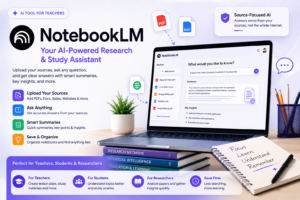
7.NotebookLM – Turn Your Notes Into a Smart Study Assistant
One of the most useful AI tools for teachers is NotebookLM.
It is especially helpful when you already have your own material.
You can provide sources such as:
- PDFs
- Notes
- Documents
- Course materials
- Research papers
- Study material
Then you can ask questions about those sources.
This is different from simply asking an AI general questions.
For example, suppose you have a 50-page PDF about computer networking.
Instead of reading the whole document again, you can ask:
“Explain the main concepts in this document in simple English.”
You can also ask for summaries, questions and study guides.
My opinion
I find source-based AI very useful for teachers because it keeps the discussion connected to the material you provide.
It can be a great tool when preparing a new topic.
Best for: Research, notes and source-based learning
8.Gemini for Education – A Strong Choice for Google Users
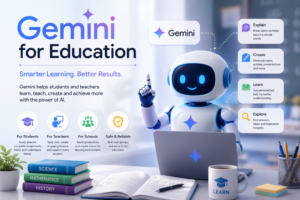
Gemini for Education is Google’s AI tool for the education community.
Teachers can use it for:
- Lesson planning
- Brainstorming
- Research
- Differentiating materials
- Quizzes
- Assignments
- Rubrics
- Emails
- Document summaries
Google says Gemini for Education is available at no cost through qualifying Google for Education setups, with additional paid features available through Google AI Pro for Education.
Google also provides ready-to-use prompts for teachers to help with lesson planning and personalization.
Example
You could give Gemini a lesson topic and ask:
“Create a 40-minute Grade 8 Mathematics lesson with an introduction, explanation, practice activity and five-question assessment.”
Then review and improve the result.
Best for: Teachers using Google tools and education workflows
9.Curipod – Make Lessons More Interactive
Sometimes students get bored when a lesson is only:
Teacher talks → Students listen → Class ends.
Interactive activities can change that.
Curipod helps teachers create interactive lessons with activities such as:
- Questions
- Polls
- Writing activities
- Discussions
- Interactive slides
- Student participation
Curipod currently offers a free plan with two teaching sessions per week. Using the same lesson across multiple classes in the same week counts as one session.
Example
You are teaching a lesson about artificial intelligence.
Instead of only explaining AI, you could ask students:
“Where do you use AI in your daily life?”
Students can respond and you can discuss their answers.
My opinion
This is a good option when you want students to participate instead of simply watching the screen.
Best for: Interactive classroom lessons
10.Quizizz – Create Quizzes Faster
Teachers regularly need quizzes.
But writing 20 or 30 questions can take time.
Quizizz can help teachers create quizzes and practice activities.
You can use AI-assisted features to generate questions from a topic or learning material and then edit them before giving them to students.
Example
For a Computer Science class, you could ask for a quiz about:
- Computer networks
- HTML
- Programming
- Databases
- Cybersecurity
For Mathematics, you can create practice questions around a specific topic.
My opinion
The important thing is not to let AI decide whether every question is correct.
Check the questions and answers yourself.
Best for: Quizzes and quick assessment
11.Gamma – Create Presentations From Simple Ideas
Making a presentation from a blank slide can be frustrating.
You think about the topic.
Then you think about the headings.
Then the text.
Then the design.
Gamma can reduce this work by turning a simple idea or outline into a presentation.
For example:
“Create a presentation for Grade 9 students explaining the basics of computer networks.”
Gamma can create a starting structure that you can edit.
My opinion
I would not use AI-generated slides without checking them.
The best workflow is:
AI creates the first draft → Teacher edits it → Teacher adds examples → Students get the final version.
Best for: Fast presentations and slide decks
12.Perplexity – Useful for Teacher Research
Sometimes a teacher does not need a lesson plan.
They need information.
This is where Perplexity can be useful.
It works like an AI research assistant and provides sources with its answers.
You can use it when researching:
- New technology
- Historical events
- Scientific topics
- Current developments
- Educational ideas
- Background information
Example
If I am preparing a Computer Science lesson about artificial intelligence, I may want to understand a new AI concept before explaining it to students.
I can use an AI research tool to get a starting point and then check the original sources.
Important
Do not trust any AI research tool blindly.
Open the sources and verify important information.
Best for: Research and finding sources
13.Eduaide.AI – Built Around Teaching Tasks
Eduaide.AI is another education-focused AI platform.
It can help teachers create:
- Lesson plans
- Activities
- Assessments
- Learning objectives
- Teaching resources
- Feedback
- Rubrics
The main advantage is that it focuses on education rather than being a general chatbot.
Example
Instead of asking a general AI:
“Give me a lesson plan.”
You can use an education-focused tool that already understands the type of resource a teacher is trying to create.
Best for: Lesson resources and classroom planning
14.Grammarly – Improve Your Teaching and Student Writing
Good writing matters for teachers too.
You may need to write:
- Emails
- Notices
- Reports
- Instructions
- Assignments
- Feedback
- Announcements
Grammarly can help find grammar, spelling and clarity problems.
It can also help make writing clearer.
Grammarly offers free writing assistance, while its education products provide additional features for institutions.
Example
Suppose you write:
“Students is requested to submit their assignment before Monday.”
Grammarly can help identify the grammar problem.
You can then correct it to:
“Students are requested to submit their assignments before Monday.”
My opinion
AI is not only for making lesson plans.
Sometimes a simple writing assistant can save a teacher several minutes every day.
Best for: Grammar, clarity and professional writing
15.Claude – Another Strong AI Assistant for Teachers
Claude is another general AI assistant that teachers can use for planning, writing, explanations and brainstorming.
It can help with:
- Lesson ideas
- Explanations
- Classroom activities
- Writing
- Summaries
- Research support
- Feedback drafts
- Creating examples
Anthropic also introduced Claude for Teachers in 2026, giving verified U.S. K–12 educators free access to premium Claude capabilities and teaching-focused features.
Example
If I want to explain a difficult programming concept to beginners, I can ask Claude to explain it using a simple analogy and a small example.
Then I can adapt that explanation for my students.
My opinion
Claude is worth trying alongside ChatGPT. Different AI models can produce different answers, so comparing them can sometimes help you find a better explanation.
Best for: Writing, explanations and brainstorming
*****Which AI Tool Should a Teacher Start With?*****
You don’t need 15 AI tools.
Actually, I would recommend the opposite.
Start with two or three tools.
Here is a simple combination:
For lesson planning
Try:
MagicSchool AI + ChatGPT
For worksheets and visual materials
Try:
Canva + Diffit
For quizzes
Try:
Quizizz + ChatGPT
For research
Try:
NotebookLM + Perplexity
For presentations
Try:
Canva + Gamma
For interactive lessons
Try:
Curipod
For writing
Try:
Grammarly + ChatGPT
This is a much better approach than creating accounts on every AI website.
My Favorite AI Workflow as a Teacher*******
As Mureed Abbas, a teacher with more than four years of experience and a software engineering background, I don’t think the goal should be:
“How can AI teach my class?”
I think the better question is:
“How can AI help me become a better teacher?”
For example, before a Mathematics class, I might use AI to:
- Generate a basic lesson structure.
- Create simple examples.
- Create a few practice questions.
- Prepare a short quiz.
- Find a different explanation for difficult concepts.
- Create a visual resource.
- Review the final material myself.
Then I go to the classroom.
The AI does not teach the students.
I do.
AI simply helps me prepare better.
This is one of my main opinions about AI in education.
A Simple AI Teaching Workflow
You can also create your own workflow.
Step 1: Choose your topic
For example:
“Introduction to HTML”
Step 2: Create the lesson
Ask ChatGPT, Gemini, MagicSchool or another tool for a lesson structure.
Step 3: Make the material easier
Use Diffit or another AI tool to create simpler explanations for students who need extra support.
Step 4: Create visuals
Use Canva to create a presentation, diagram or worksheet.
Step 5: Create questions
Use Quizizz, Brisk or ChatGPT to prepare practice questions.
Step 6: Make the lesson interactive
Use Curipod or another interactive platform.
Step 7: Check everything
This step is extremely important.
Read the material yourself.
Check:
- Facts
- Answers
- Examples
- Difficulty level
- Grammar
- Curriculum requirements
Then make the final changes.
Are AI Tools Going to Replace Teachers?
I don’t think so.
AI can generate a lesson plan.
It can create questions.
It can explain a topic.
It can help prepare a worksheet.
But it cannot fully replace the relationship between a teacher and students.
A good teacher knows when students are confused.
A good teacher notices when a student is afraid to ask a question.
A good teacher knows when to slow down.
A good teacher understands the personality and needs of the classroom.
AI does not have that human connection in the same way.
So I see AI as a teaching assistant, not a teacher replacement.
Important: Don’t Put Student Information Into AI Carelessly
This is one of the most important parts of using AI in education.
Teachers should be careful with student information.
Avoid putting sensitive information such as:
- Student names
- Phone numbers
- Addresses
- Personal identification numbers
- Private family information
- Medical information
- Other confidential records
into a general AI tool unless your school has approved that use and the tool provides the required protections.
For example, instead of asking:
“Analyze Ali’s performance. He lives at [address] and has these personal details…”
Remove personal information first.
You can write:
“Analyze the performance of Student A based on these anonymous results.”
Some education products have specific privacy protections, but teachers should still follow their school’s rules and local data protection requirements. For example, Diffit says it does not collect student data and is FERPA/COPPA compliant, while Canva describes its education offering as FERPA and COPPA compliant.
When in doubt, remove personal information.
Don’t Trust AI 100%
AI can make mistakes.
Sometimes the answer looks very professional but is still wrong.
This is especially important for:
- Mathematics
- Science
- History
- Computer Science
- Current events
- Facts and statistics
If AI gives you an answer, treat it as a draft.
Check it before giving it to students.
This one habit can make a big difference.
How Teachers Can Use AI Without Losing Their Teaching Style
There is another problem that many teachers don’t talk about.
If you use AI for everything, your teaching material can start to sound the same.
You don’t want every worksheet to sound like it was written by a robot.
Instead:
Use AI for the first draft.
Then add:
- Your own examples
- Local examples
- Classroom experiences
- Simple language
- Questions your students actually ask
- Your own teaching methods
For example, when I teach Computer Science, I can ask AI for an explanation of a programming concept.
But I may explain it to my students using an example from something they already understand.
That human part is still mine.
And I think that is where teachers add the most value.
My Final List of the 15 Best AI Tools for Teachers
If you want a quick summary, here is my final list:
- ChatGPT – Best overall AI assistant
- MagicSchool AI – Best for teacher-specific tasks
- Canva Education – Best for visual materials
- Diffit – Best for differentiated learning
- Brisk Teaching – Best for working with existing resources
- Khanmigo – Best for education-focused teacher support
- NotebookLM – Best for research and source-based learning
- Gemini for Education – Best for Google-based education workflows
- Curipod – Best for interactive lessons
- Quizizz – Best for quizzes and assessment
- Gamma – Best for quick presentations
- Perplexity – Best for research
- Eduaide.AI – Best for teaching resources
- Grammarly – Best for writing and grammar
- Claude – Best for explanations and writing
Final Thoughts:-
The best AI tools for teachers are not necessarily the tools with the most features.
The best tool is the one that solves your actual problem.
If lesson planning takes too long, use an AI lesson planner.
If creating worksheets takes too long, try Diffit or Canva.
If you need quizzes, try Quizizz.
If you need research help, try NotebookLM or Perplexity.
If you want better presentations, try Canva or Gamma.
And if you simply want one flexible AI assistant, start with ChatGPT or Gemini.
But don’t try to use everything at once.
Start with two tools.
Use them for one or two weeks.
See whether they actually save you time.
Then keep the tools that make your teaching easier.
For me, the future of AI in education is not about replacing teachers.
It is about giving teachers better tools.
As a teacher, I believe the most useful AI is the AI that gives me more time to do what a teacher does best: teach, explain, encourage, and understand students.
And that is how I think teachers should use AI in 2026.
Frequently Asked Questions
What is the best AI tool for teachers in 2026?
There is no single best tool for every teacher. ChatGPT is one of the most flexible options, while MagicSchool is useful for teacher-specific tasks. Canva is excellent for visual materials, Diffit is useful for differentiation, and NotebookLM is strong for source-based research.
What are the best free AI tools for teachers?
Some useful free options include ChatGPT’s free service, MagicSchool’s free teacher option, Canva Education for eligible teachers, Diffit’s free version, Brisk’s free educator plan, NotebookLM, Gemini for Education where eligible, and Khanmigo’s free teacher tools. Free features and eligibility can change, so check each service before relying on a specific feature.
Can AI create lesson plans for teachers?
Yes. Many AI tools can create a first draft of a lesson plan. However, teachers should review and adapt the plan according to their curriculum, students, class time and teaching style.
Can AI replace teachers?
AI can automate some repetitive teaching tasks, but it cannot replace the human relationship between teachers and students. AI is better viewed as an assistant that supports teachers.
Is it safe for teachers to use AI?
It can be, but teachers should use AI responsibly. Avoid entering sensitive student information unless the school has approved the tool and its privacy practices. Always follow your school’s policies and applicable data protection rules.
How many AI tools should a teacher use?
You don’t need dozens. Start with two or three tools that solve your biggest problems. For example, you could use ChatGPT for planning, Canva for visual materials and Quizizz for assessment.
About the Author
Mureed Abbas is a teacher with more than four years of teaching experience and a background in Software Engineering. He currently teaches Computer Science and Mathematics and is interested in using technology and AI to make teaching simpler, more practical and more effective.
Through Explanex, he shares simple explanations, practical technology guides and useful AI ideas that teachers, students and everyday technology users can understand without needing a technical background.
The examples and opinions in this information are based partly on Mureed Abbas’s experience and approach to using technology in teaching.
What Is Artificial Intelligence? 5 Simple Things to Know





Pingback: ChatGPT vs Claude vs Gemini: Which AI Is Best in 2026?